How to verify GSTIN Number in India?
How to verify a GSTIN on the GST Portal
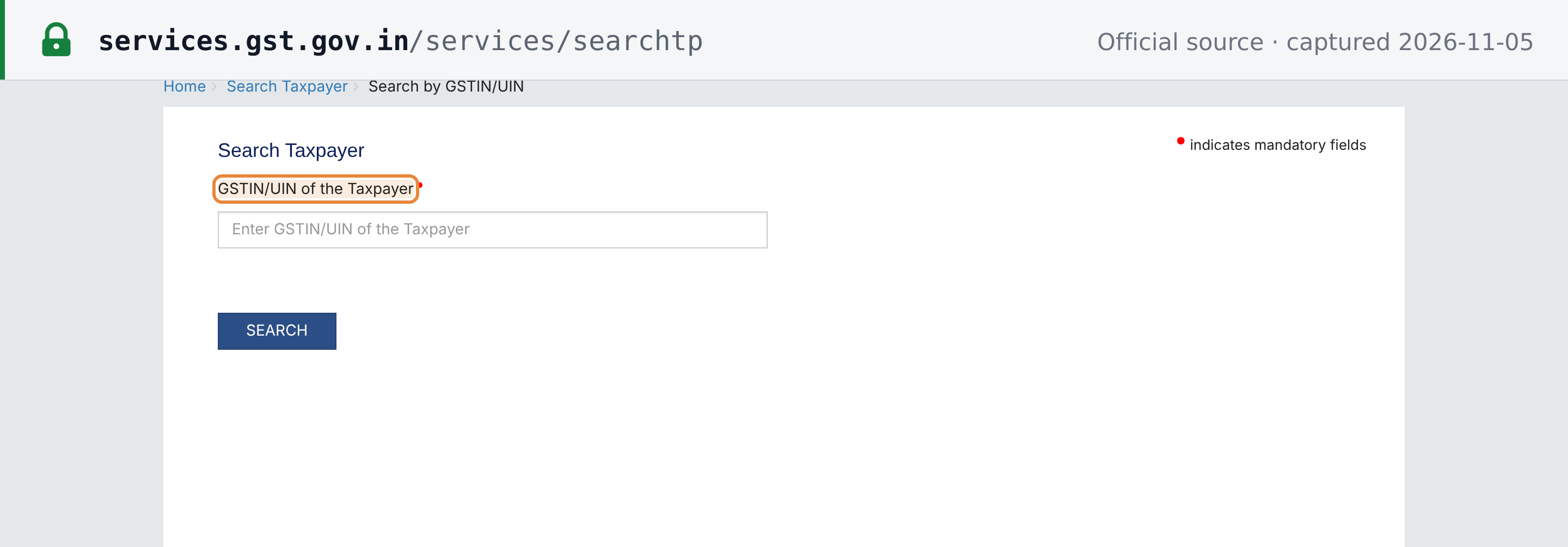
The official GSTIN check is Search Taxpayer › Search by GSTIN/UIN on India's GST Portal (www.gst.gov.in). The portal is run by the Goods and Services Tax Network (GSTN); the Central Board of Indirect Taxes and Customs (CBIC) administers central GST and the States administer State GST. GSTN's user manual describes the tool: "The Search Taxpayer functionality allows you to view the profile of any other registered taxpayer at the GST Portal on entering the GSTIN/UIN. You can search the details of a taxpayer without login and also after logging into the GST Portal." [1]
 Source snapshot captured 2026-11-05 — original
Access. No login is needed. Before login, every search asks you to type a six-digit image CAPTCHA ("Type the characters you see in the image below"), which appears once you start typing the GSTIN and has an audio option; a search made after logging in has no CAPTCHA step. [1] GSTN's Search Taxpayer manual and FAQ mention no fee, and they publish no daily quota or rate limit (as at 2026-11-05). A CAPTCHA error ("Enter valid letters shown in the image below") or a page that won't load says nothing about the GSTIN: search again.
To verify a GSTIN before login:
- Open Search Taxpayer: on www.gst.gov.in, open the Search Taxpayer menu and choose Search by GSTIN/UIN, or go straight to services.gst.gov.in/services/searchtp.
- Enter the GSTIN: type the 15-character GSTIN in GSTIN/UIN of the Taxpayer (example:
07AEFPA4963B1ZY, the number GSTN uses in its own manual, where it shows as Cancelled suo-moto). Embassies, UN bodies and other notified persons have a UIN, which goes in the same box. - Type the CAPTCHA and click SEARCH.
- Check the filing history: click SHOW FILING TABLE, choose a Financial Year and click SEARCH to see the returns filed. Click SHOW RETURN FILING FREQUENCY to see how often the taxpayer files.
 Source snapshot captured 2026-11-05 — original
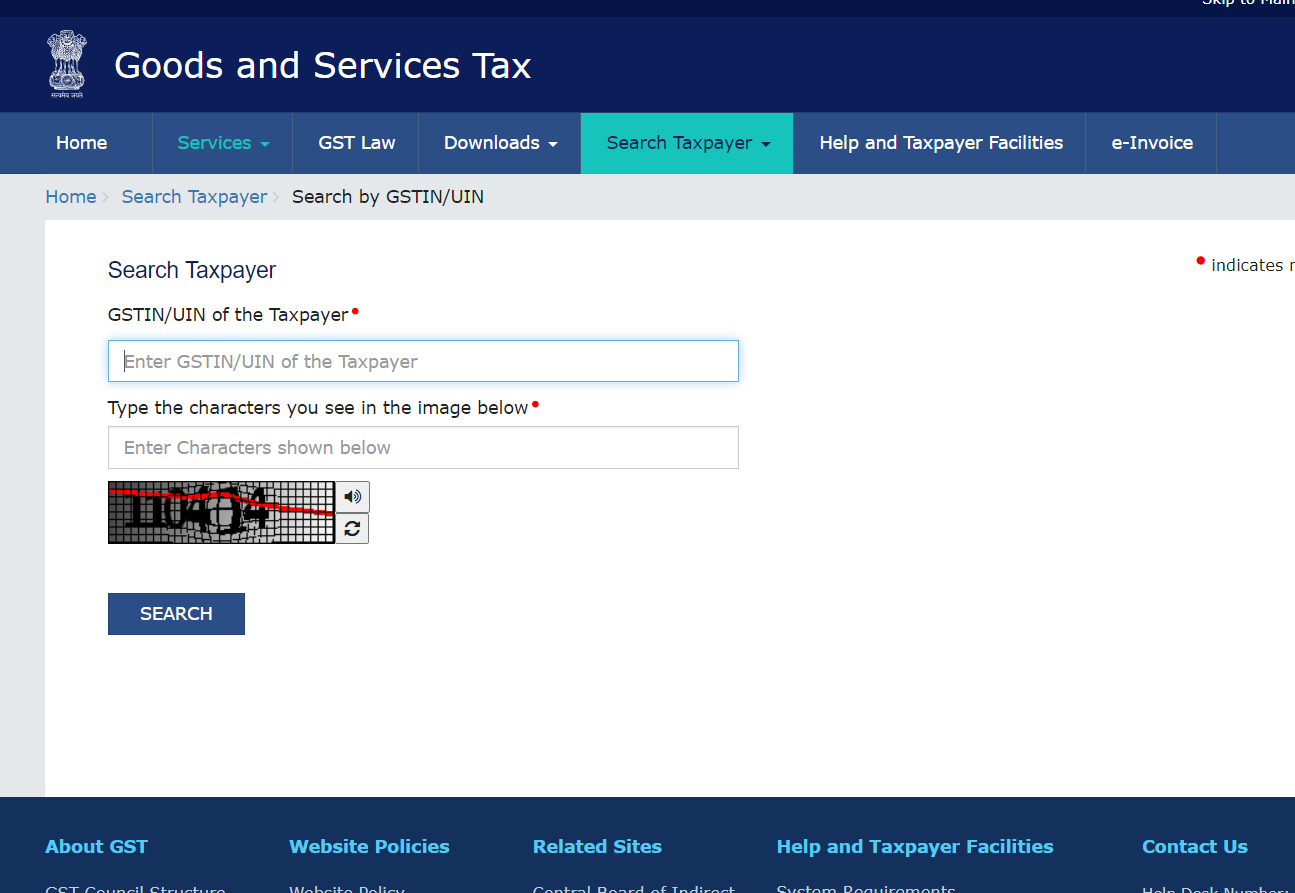 |
| The Search by GSTIN/UIN form, with the CAPTCHA shown before login |
What a successful result shows
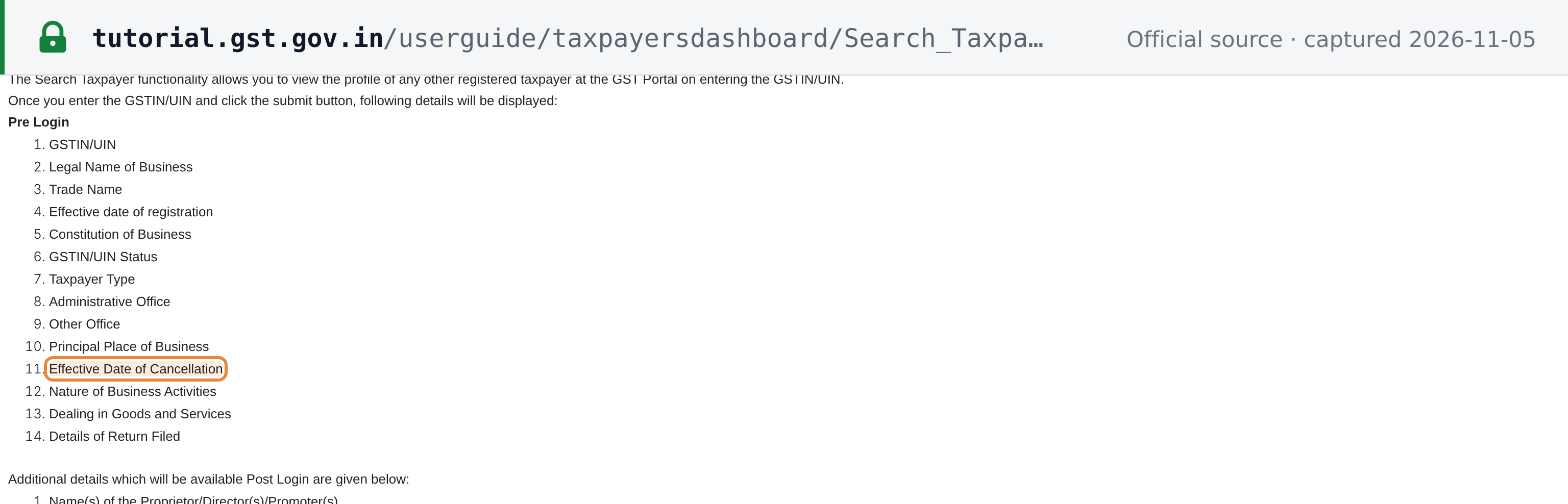
GSTN's FAQ and the result screen in its manual list these fields for a search made before login (portal labels): [2] [1]
- GSTIN/UIN
- Legal Name of Business
- Trade Name, and any Additional Trade Name
- Effective Date of registration
- Constitution of Business (for example, Private Limited Company)
- GSTIN / UIN Status
- Taxpayer Type (for example, Regular)
- Administrative Office and Other Office (the Centre and State tax jurisdictions)
- Principal Place of Business
- The cancellation or suspension date, shown as "(Effective from dd/mm/yyyy)" under GSTIN / UIN Status (GSTN's FAQ list calls it Effective Date of Cancellation)
- Nature of Business Activities and Nature Of Core Business Activity
- Dealing In Goods and Services (HSN codes and descriptions)
- Details of returns filed (through SHOW FILING TABLE)
The result screen also shows Whether Aadhaar Authenticated? and Whether e-KYC Verified?. After logging in, GSTN adds the names of the proprietor, directors or promoters, contact details of the places of business, e-way bill history, compliance rating, annual aggregate turnover and the percentage of tax paid in cash. [2] For a taxpayer that is not registered, cancelled or under the composition scheme, the return filing frequency shows as not applicable. [1]
 Source snapshot captured 2026-11-05 — original
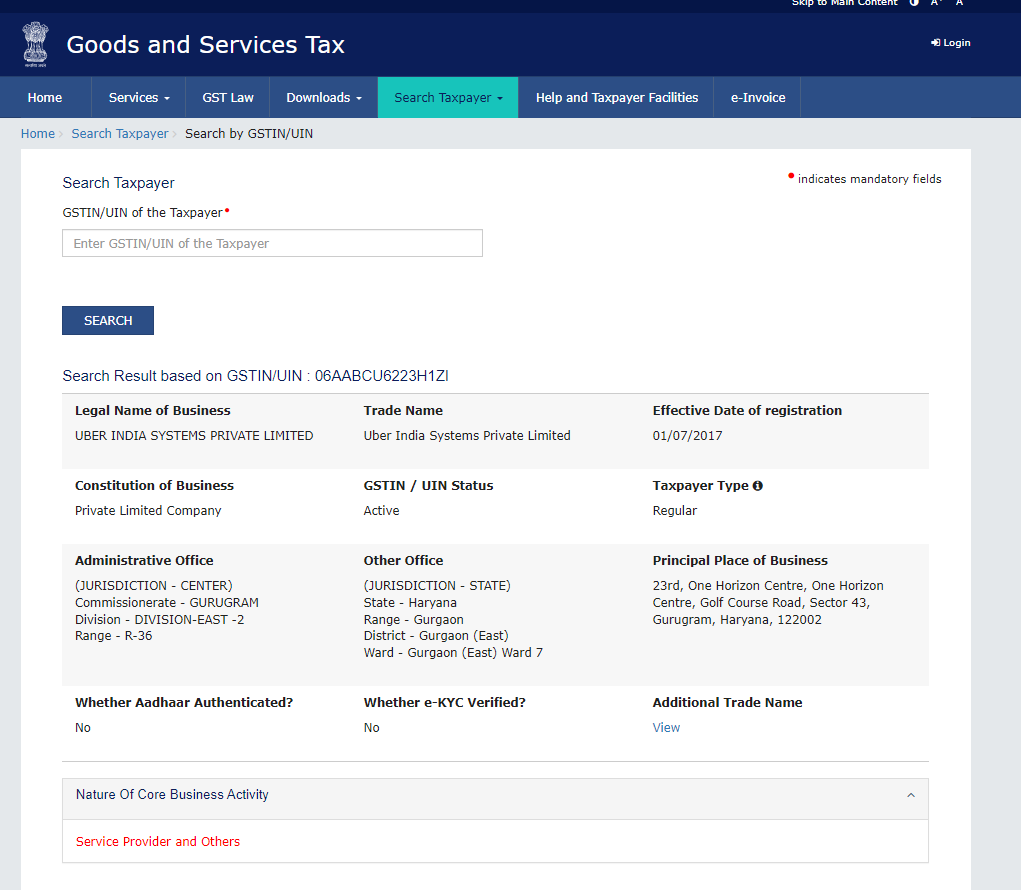 | 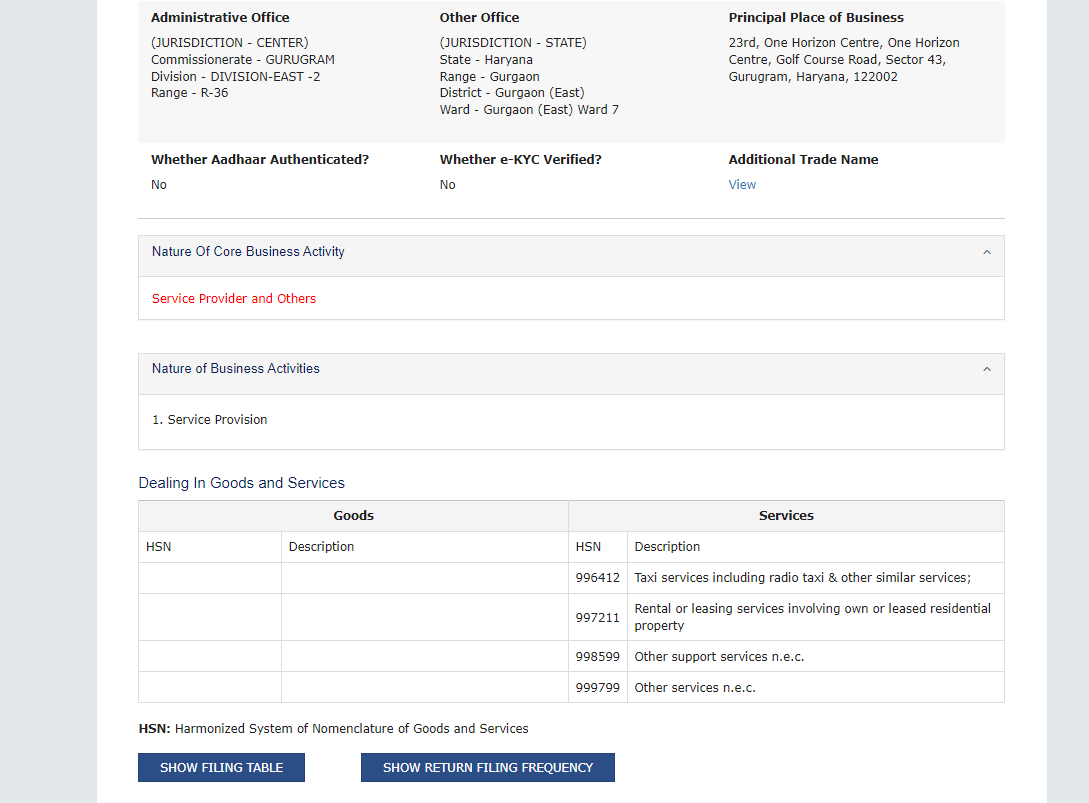 |
| A Search Taxpayer result, with the SHOW FILING TABLE and SHOW RETURN FILING FREQUENCY buttons | |
GSTIN status: Active, Suspended, Cancelled, Inactive
The GSTIN / UIN Status field is the line that matters most. Besides Active, the portal's result code handles these statuses: Suspended, Inactive, and several Cancelled variants (Cancelled, Cancelled suo-moto, Cancelled on application of Taxpayer, Cancelled on Request of Taxpayer, Cancelled due to expiry of registration period). For each of them, the date it took effect is shown under the status as "(Effective from dd/mm/yyyy)". [3]
| Status | What it means |
|---|---|
| Active | The registration is in force. The only clean result. |
| Suspended | Shown with "(Effective from dd/mm/yyyy)". GSTN shows a GSTIN as Suspended when the taxpayer has applied to cancel its registration or a tax officer has started cancellation proceedings; registrations can also be suspended automatically. [4] During suspension the person may not issue a tax invoice or charge tax (CGST Rule 21A(3) and its Explanation). [5] If the proceedings are dropped, the status returns to Active. |
| Cancelled (any variant) / Inactive | The registration is no longer in force. After a cancellation order made by a tax officer, GSTN changes the status from "Proceeding for Cancellation initiated" to "Inactive". [4] GSTN publishes no separate definition of these labels: read the "(Effective from …)" date under the status. |
 Source snapshot captured 2026-11-05 — original
Cancellation can be backdated. The proper officer "may cancel the registration of a person from such date, including any retrospective date, as he may deem fit" (CGST Act section 29(2)). [6] On the grounds that section lists, a supplier that was Active at onboarding can later show a cancellation date earlier than your invoice, so check the status as at each invoice date.
When a lookup fails or finds nothing
- The number is malformed. The portal rejects a string that is not in GSTIN or UIN shape with "The GSTIN/UIN that you have entered is invalid. Please enter a valid GSTIN/UIN." That is a typing error, not proof that the supplier is unregistered. You can also test the 15th character offline before searching (see GSTIN number format): a wrong check character is a typing error, so recheck the number.
- The wrong search. A 10-character PAN does not go in the GSTIN box: use Search by PAN (below). Unregistered persons who were given a temporary ID for registration, advance ruling or refund cases are found under Search Temporary ID.
- A CAPTCHA or connection error. Search again; it is not a verdict on the number.
- A newly issued GSTIN. Where registration is deemed granted, CGST Rule 10(5) gives the portal three days to make the certificate available. GSTN publishes no figure for how quickly a new GSTIN becomes searchable, so if a just-issued number is not found, ask the supplier for its registration certificate (FORM GST REG-06) and search again later. [7]
A GSTIN that is found but shows Suspended, Cancelled or Inactive is not a false negative: read the status table above.
GSTIN number format
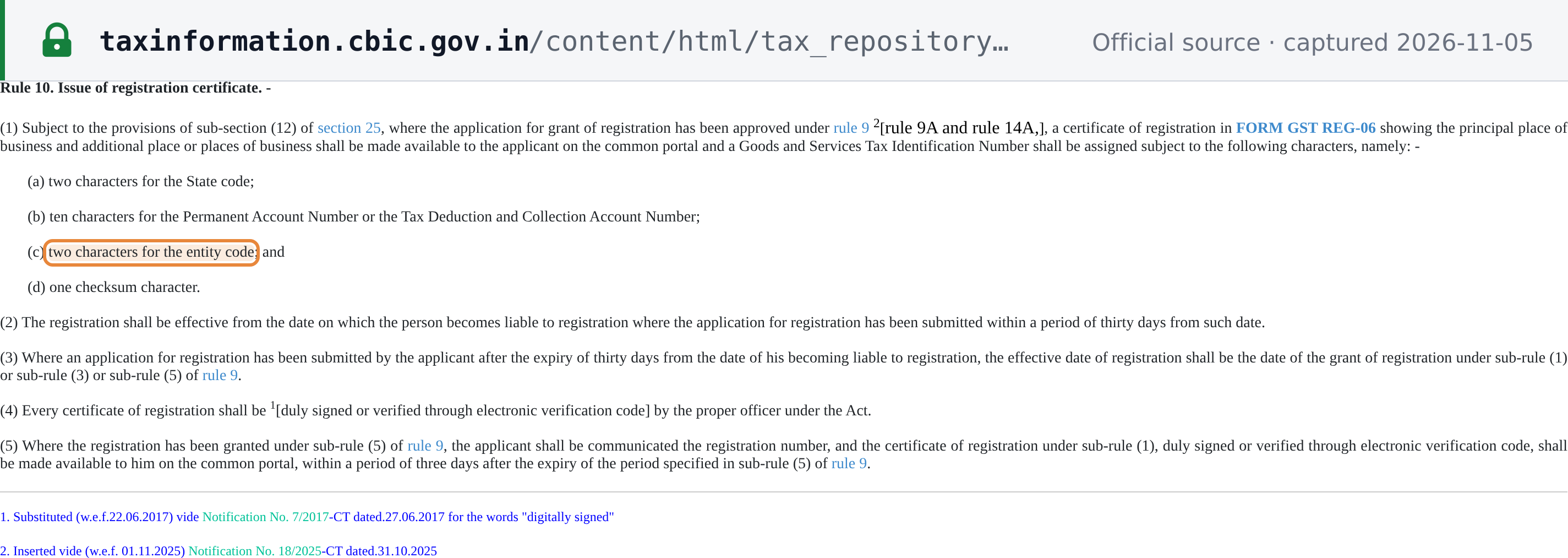
A GSTIN has 15 characters. CGST Rule 10(1) says it is assigned "subject to the following characters, namely: - (a) two characters for the State code; (b) ten characters for the Permanent Account Number or the Tax Deduction and Collection Account Number; (c) two characters for the entity code; and (d) one checksum character." [7]
 Source snapshot captured 2026-11-05 — original
| Positions | Content |
|---|---|
| 1–2 | State code (for example 07 Delhi, 23 Madhya Pradesh, 36 Telangana, as in GSTN's PAN-search example below) |
| 3–12 | The holder's PAN, or its TAN for a tax deductor registered under section 51 |
| 13–14 | Entity code. For most regular registrations the 14th character is Z, but the law does not fix it, and GSTN's own examples show other letters and digits |
| 15 | Checksum character |
- Not every GSTIN contains a PAN. A tax deductor may register on a TAN instead of a PAN (CGST Act section 25(6) proviso), and a non-resident taxable person may be registered "on the basis of such other documents as may be prescribed" (section 25(7)), so its number follows a different pattern, such as GSTN's example
2921IND00009NRI. [8] Don't reject a GSTIN offline just because positions 3–12 are not in PAN shape. - The check character. The GST portal checks the 15th character with a mod-36 calculation over the first 14: digits 0–9 and letters A–Z count 0–35, the values are multiplied alternately by 2 and 1 starting from the right, each product p contributes ⌊p/36⌋ + (p mod 36), and the check character is the one at position (36 − total mod 36) mod 36. This is the portal's own validation code, not a rule in the law, which only says "one checksum character". [9] A failed check means a typing error; a passed check only means the number is well formed.
The India Tax ID Guide covers PAN, TAN and the other Indian identifiers.
Search by PAN: every GSTIN on one PAN
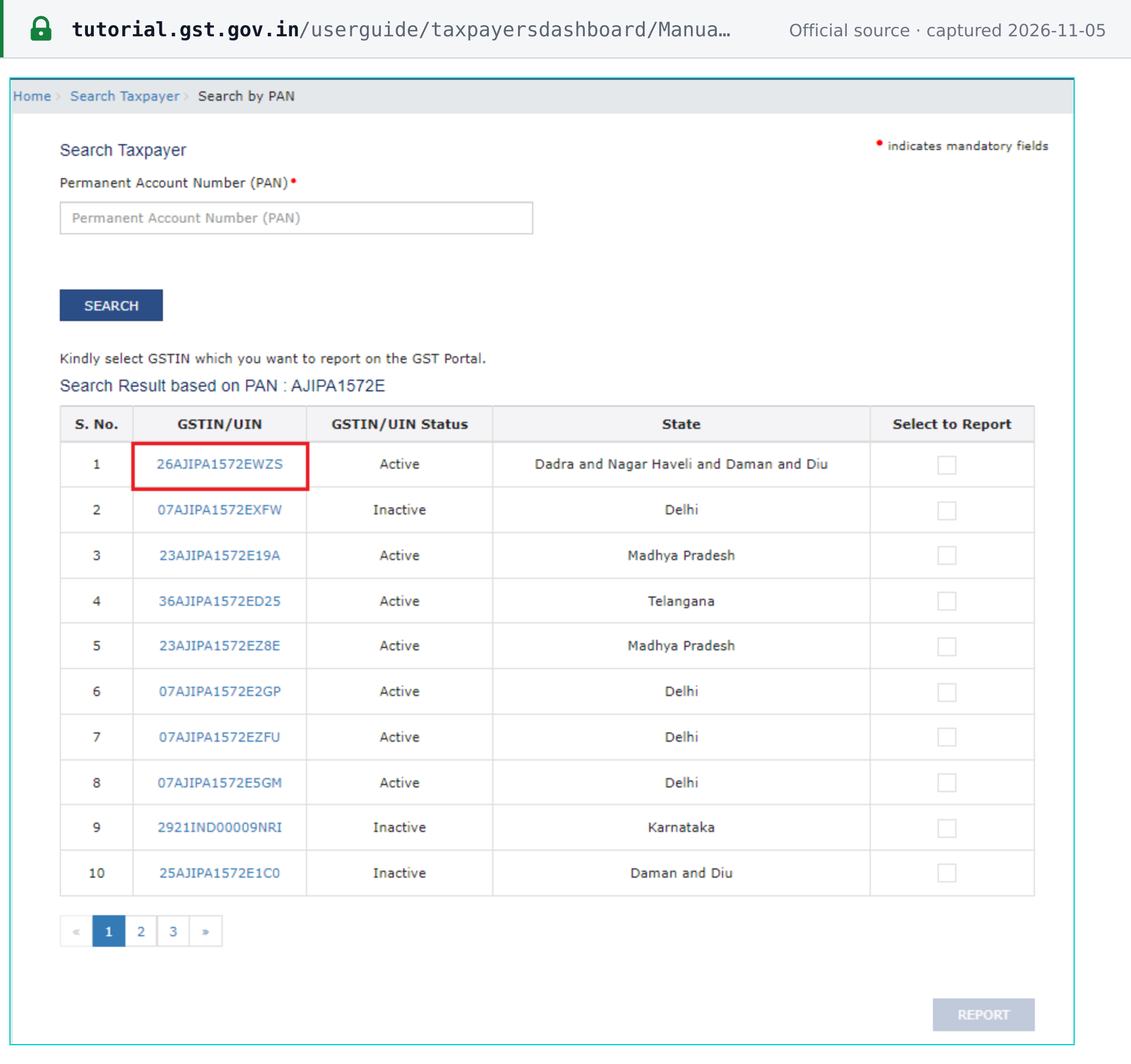
Search Taxpayer › Search by PAN lists all GSTINs registered on a PAN. In GSTN's words: "This search by PAN will fetch all the valid GSTINs registered against the provided PAN in different states/ UT’s along with status of registration in a tabular format." [10] It also needs the CAPTCHA before login. Click a GSTIN in the result to open its full Search by GSTIN/UIN profile.
GSTN's own example shows why the State code and the 13th–14th characters vary: the first page of results for one PAN, AJIPA1572E, lists ten GSTINs in six States and Union territories, four of them in Delhi and two in Madhya Pradesh, and one is a non-resident ID with no PAN in it. [11]
 Source snapshot captured 2026-11-05 — original
If a GSTIN has been registered on your PAN without your consent, you can report it from the same Search by PAN screen. The facility is available only before login; the complaint goes to the jurisdictional tax officer. [10]
Related resources
- India Tax ID Guide: PAN, TAN, GSTIN and the other Indian tax identifiers.
- India GST guide: rates, registration thresholds, invoicing and returns.
- India e-invoicing (IRP) guide: e-invoices carry the buyer's GSTIN, so verify it first.
- Check a GSTIN's format and check character instantly with the India GSTIN validator.
Frequently Asked Questions
My supplier's GSTIN shows status Cancelled or Suspended. Can I still claim input tax credit on their invoices?
Be careful. Input tax credit needs a tax invoice from a supplier registered under the CGST Act (section 16(2)(a)), and since 1 January 2022 the invoice must also appear in the supplier's GSTR-1 and in your GSTR-2B (Rule 36(4)). A supplier whose registration is suspended may not issue a tax invoice or charge tax during the suspension (Rule 21A(3)). Cancellation can be backdated: on the grounds listed in section 29(2), the proper officer may cancel a registration from any date, including a retrospective date. So a GSTIN that was Active when you onboarded the supplier may later show Cancelled with an Effective from date that falls before your invoice. Check the status and that date as at each invoice date, not only at onboarding. [1] [2] [3] [4]
What does each part of a GSTIN encode, and how is the last character checked?
CGST Rule 10(1) sets the 15 characters: two for the State code, ten for the Permanent Account Number (PAN) or, for a tax deductor, the Tax Deduction and Collection Account Number (TAN), two for the entity code, and one checksum character. The law does not fix the 14th character: for most regular registrations it is Z, but GSTN's own examples show other letters and digits there. A non-resident taxable person can be registered on other documents, so its number need not contain a PAN (GSTN's example: 2921IND00009NRI). The GST portal checks the 15th character with a mod-36 calculation over the first 14: digits 0-9 and letters A-Z count 0-35, the values are multiplied alternately by 2 and 1 starting from the right, each product p contributes floor(p/36) + (p mod 36), and the check character is the one at position (36 - total mod 36) mod 36. A wrong check character means a typing error. Passing the check only means the number is well formed, so still search it on the portal. [1] [2] [3]
My supplier's GSTIN is Active but the filing table shows missing GSTR-3B returns. Should I worry?
Yes. Under Rule 36(4) you can take credit only on invoices the supplier has reported in GSTR-1 (or the IFF) and that appear in your GSTR-2B. Under Rule 37A (inserted by Notification 26/2022-CT of 26 December 2022), if the supplier has not filed GSTR-3B for that period by 30 September after the end of the financial year, you must reverse the credit in a GSTR-3B filed on or before 30 November; if you don't, it is payable with interest under section 50. You can re-claim it once the supplier files. The Search Taxpayer result's SHOW FILING TABLE shows the returns a supplier has filed for a chosen financial year, so you can check before you pay. [1] [2] [3] [4]
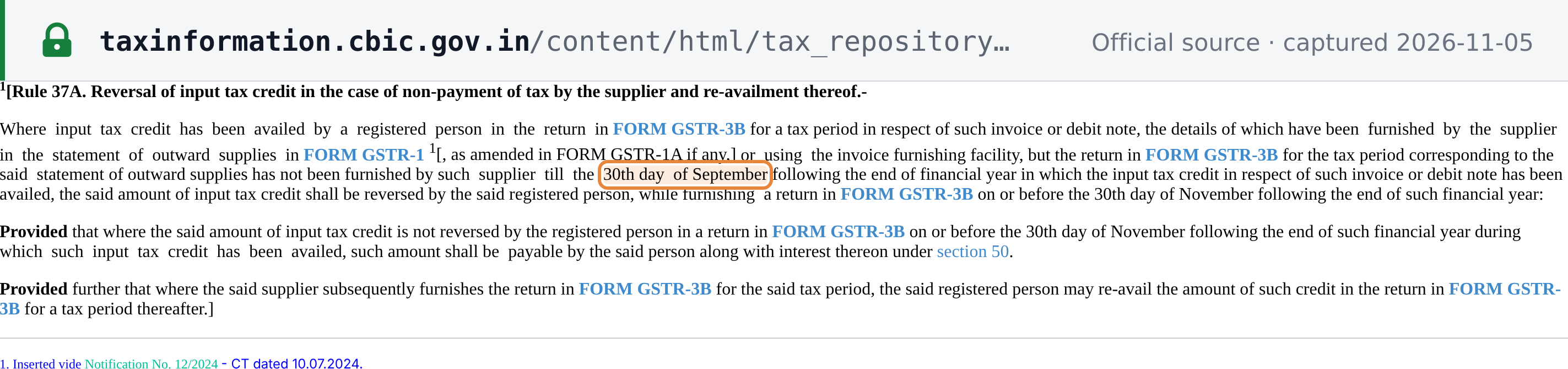 Source snapshot captured 2026-11-05 — original (CBIC marks both the rule heading and the words "as amended in FORM GSTR-1A if any" with footnote 1; Notification 12/2024 inserted only those words, and the rule itself was inserted by Notification 26/2022)
A supplier operates in several States. Does it have a separate GSTIN in each one?
Yes. A person registers in every State or Union territory where it is liable (CGST Act section 25(1)), and each registration is a distinct person under the Act (section 25(4)). A business may also hold a separate registration for each place of business inside one State (section 25(2) proviso), so a supplier can have several GSTINs in the same State. The first two characters give the State code, and positions 3 to 12 are usually the same PAN. Search by PAN on the GST Portal lists every GSTIN registered on a PAN, with its status and State. Check that the invoice carries the GSTIN of the registration that actually made the supply. [1] [2]
The CAPTCHA makes bulk checks slow. Is there an API for GSTIN verification?
The pre-login Search Taxpayer screen asks for a CAPTCHA on every search; a search made after logging in to the GST Portal does not. GSTN does not offer that screen as an open API. Instead, GSTN describes GST Suvidha Providers (GSPs) as third-party providers whose applications connect to the GST system through secure GST System APIs, and the GST developer portal (developer.gst.gov.in) lists a separate Public API set. GSTN does not publish the terms of the public taxpayer-search API on an openly readable page, so ask your GSP what its search call returns and how it is licensed. [1] [2] [3]
The GSTIN on an invoice is valid, but the supplier name does not match the portal. What does that mean?
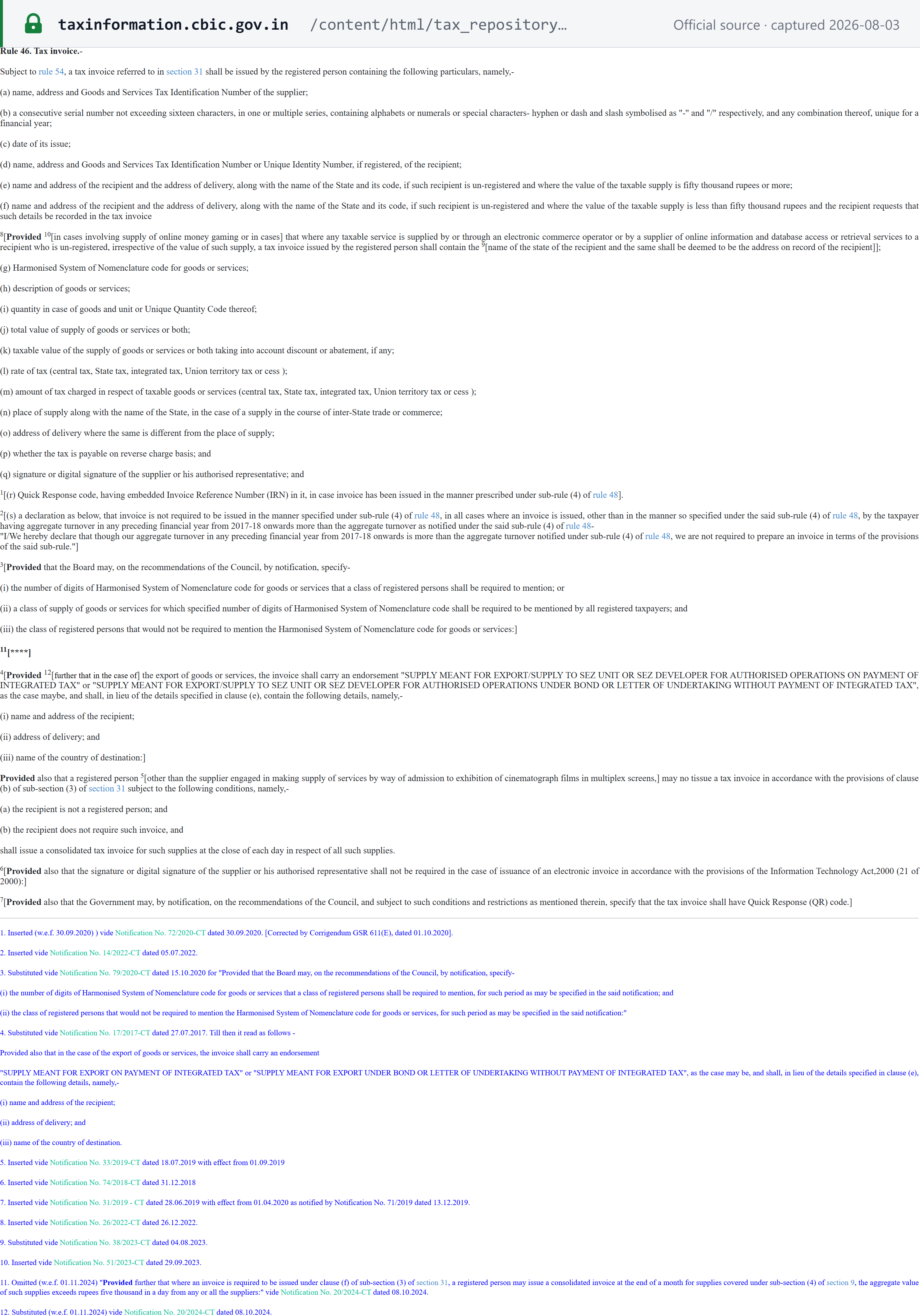
Compare the invoice with both names the portal shows: the Legal Name of Business and the Trade Name, plus any Additional Trade Name. An invoice under a registered trade name is normal. A name that matches none of them can mean the GSTIN belongs to someone else, or that the registration details have changed. Rule 46 requires a tax invoice to carry the supplier's name, address and GSTIN, and the recipient's GSTIN or UIN if registered, so resolve the mismatch with the supplier in writing before you claim credit. [1] [2] [3]
 Source snapshot captured 2026-08-03 — original
How Lookuptax can help you in GSTIN validation?
Lookuptax validates GSTINs, and tax IDs from other countries, through one API, so you can check a supplier's number before you onboard it or pay its invoice.