How to verify VAT in Bosnia?
Where to check a Bosnian VAT number: the UIO Taxpayer database
VAT (PDV) in Bosnia and Herzegovina is administered at state level by the Indirect Taxation Authority (Uprava za indirektno oporezivanje, UIO; its website is uino.gov.ba). UIO runs a free public search of its Single Register of Indirect Taxpayers, the Taxpayer database (in Bosnian, Baza obveznika). You can search by part of the business name or by the 12-digit VAT number. [1]
What to expect from the form (as at 2026-11-12): [1]
- No login or account. The form is on a public page.
- A verification code is mandatory. UIO's instructions say: "Verification code is MANDATORY." The code is four capital letters drawn in an image, and a new one appears after each search. A wrong or lowercase code shows "Incorrect entry!" (an empty code field shows "Please enter verification code.") and the search does not run. That is a typing problem, not an invalid number.
- Daily updates. UIO says: "Database is updated daily." A business registered today may not appear until the next update.
- No published limit. UIO's page publishes no limit on the number of searches.
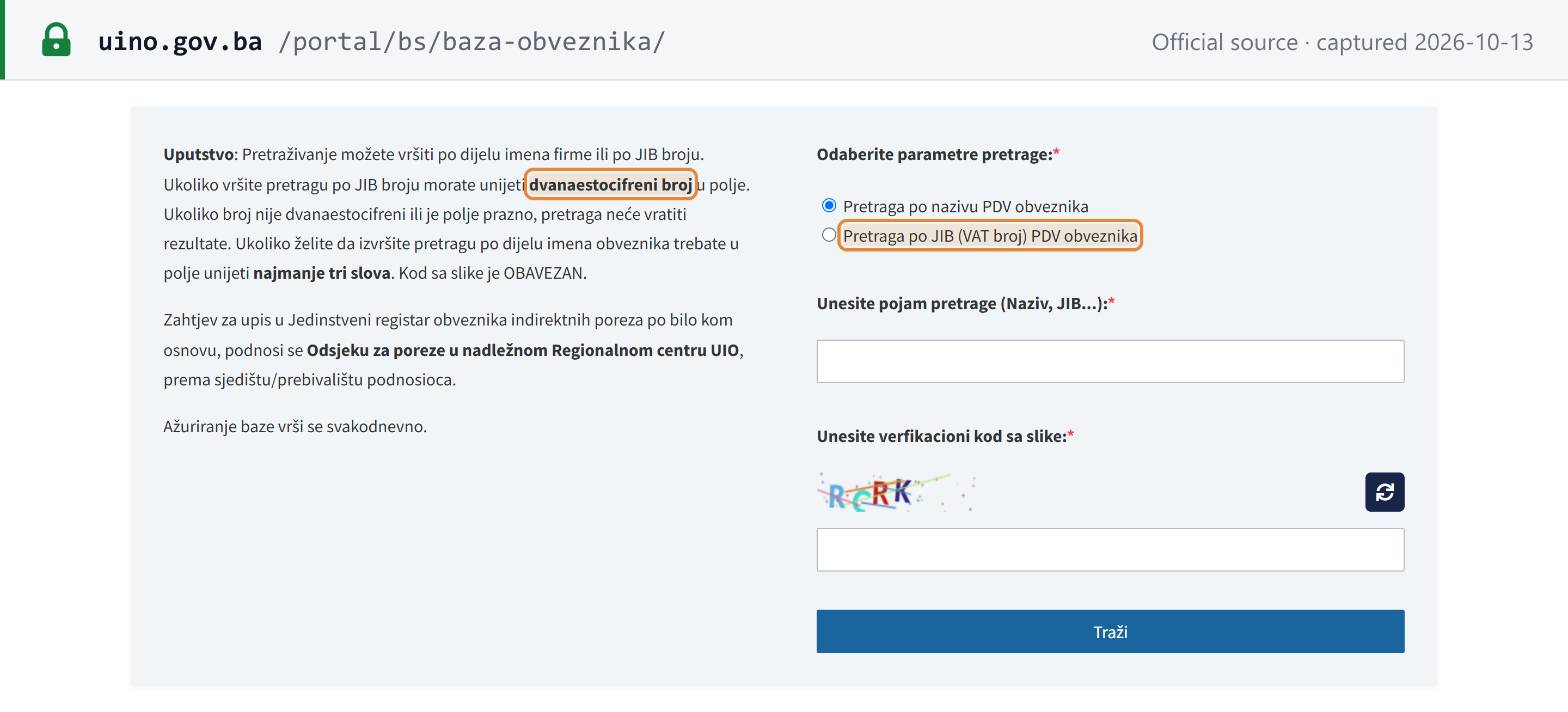 Source snapshot captured 2026-10-13 — original
Bosnia and Herzegovina is not an EU member state, so its VAT numbers cannot be checked on the EU's VIES service.
How to verify a Bosnian VAT number
The steps follow UIO's English Taxpayer database page. [1]
Step 1: Open the UIO Taxpayer database
Open the Indirect Taxation Authority's Taxpayer database at uino.gov.ba/portal/en/taxpayer-database/. It is free and needs no login.
 |
| The UIO Taxpayer database form. It opens on "Search by name". |
Step 2: Select Search by VAT number
Under Choose search parameters, select Search by VAT number. The form opens on Search by name, so change it before you search by number.
Step 3: Enter the 12-digit number
In Enter search term (name, VAT...), type the 12-digit number: digits only, no spaces and no BA prefix, for example 200211100005. If you have a 13-digit JIB such as 4200211100005, drop the leading 4.
UIO's instructions: "If you search by VAT number, you must enter twelve-digit number in the field. If the number does not contain 12 digits or the field is empty, the search will show no results." A name search needs at least 3 letters. [1]
Step 4: Type the verification code
Type the four letters shown in the image in capitals. A wrong or lowercase code is rejected with Incorrect entry!, and an empty code field shows Please enter verification code. Use the refresh button next to the image if it is hard to read.
Step 5: Search and read the Taxpayer column
Click Search. The result appears in a table under the form. Read the Taxpayer column (PDV obveznik, VAT payer) to see whether the business is registered for VAT. The Status column is not a VAT status.
What the result tells you
Each result row has these columns on UIO's English page (Bosnian page in brackets): [1] [2]
| Column | What it tells you |
|---|---|
| Name (Naziv) | Registered name of the business |
| VAT number (JIB (VAT broj)) | The 12-digit UIO number |
| Municipality, Street, ZIP code, City | Registered address |
| Taxpayer (PDV obveznik) | Whether the business is a VAT payer. This is the column that answers "is it registered for VAT?" |
| Excise taxpayer (Obveznik akcize) | Registered for excise |
| Customs taxpayer (Carinski obveznik) | Shown separately from VAT; not relevant to whether VAT can be charged |
| Representative (Zastupnik) | UIO's page does not define this column (see the FAQ below) |
| Status | Aktivan or Pasivan, in Bosnian even on the English page |
Each of the four registration columns shows a tick (yes) or a cross (no).
Status is not a VAT status. On UIO's results table, Status shows Aktivan when any of the four registration columns (Taxpayer, Excise taxpayer, Customs taxpayer, Representative) has a tick, and Pasivan only when all four show a cross. [1] UIO enters businesses in its register on four bases: VAT, foreign trade, international freight forwarding and excise (Rulebook 51/12, Art. 3). [3] So a business registered for excise, or flagged as a customs taxpayer, but not for VAT shows Aktivan with a cross under Taxpayer.
No result. UIO shows "No search results by entered parameters". Work through the false negatives below before you conclude the business is not registered. [1]
Why the VAT-payer flag matters
Under Article 55 of the BiH VAT Law, "Lice koje prima fakturu ili izdaje izvod o plaćanju mora osigurati da je dobavljač robe, odnosno davalac usluga obveznik" (the person who receives an invoice or issues a payment statement must make sure that the supplier of goods or services is a taxpayer). Persons not registered as taxpayers may not show VAT on an invoice. Under Article 32, VAT shown by someone who is not allowed to issue such an invoice cannot be deducted as input tax, "bez obzira što je taj porez platio u dobroj namjeri" (even if it was paid in good faith). [4]
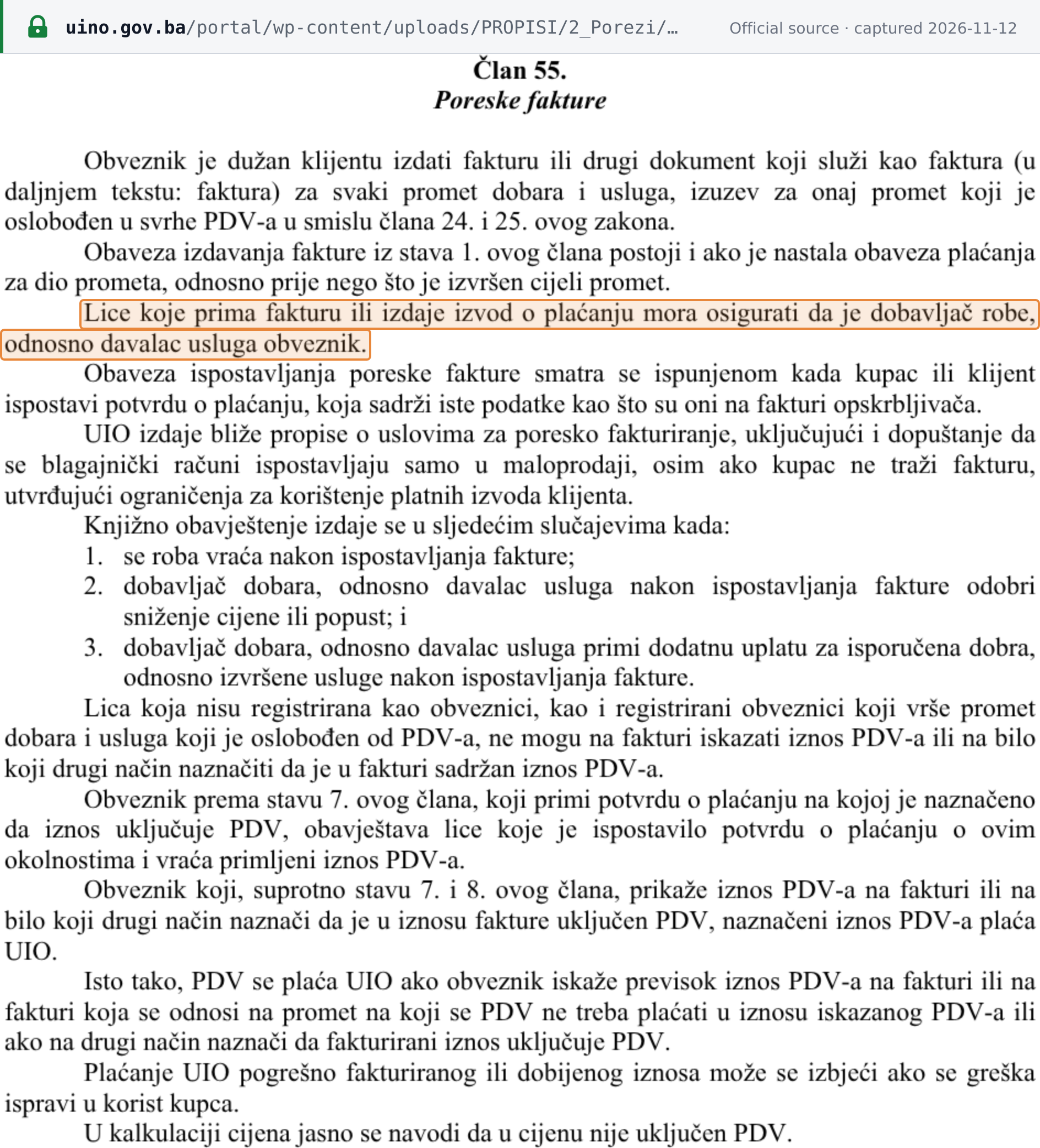 Source snapshot captured 2026-11-12 — original
The number format
The VAT number UIO searches by has 12 digits, with no letters and no BA prefix. UIO's registration rulebook (Rulebook 51/12) says the identification number "sastoji se od 12 cifara" (has 12 digits) (Art. 19(2)) and is formed by removing the common leading digit 4 from the existing 13-digit PIB/JIB (Art. 21(1)). [3] So 4200211100005 is searched as 200211100005.
The 13-digit JIB itself is issued by the entity tax administrations (Federation of BiH, Republika Srpska, Brčko District), not by UIO (Art. 20(1)). UIO labels the 12-digit number "JIB (VAT broj)", which is why both numbers get called "the JIB". For individuals who use their personal number (JMBG) and for non-residents, UIO creates a 13-digit number starting 41, so their 12-digit number starts with 1 (Arts. 22–23). [3] The JIB's structure and check digits are on the Bosnia and Herzegovina Tax ID Guide.
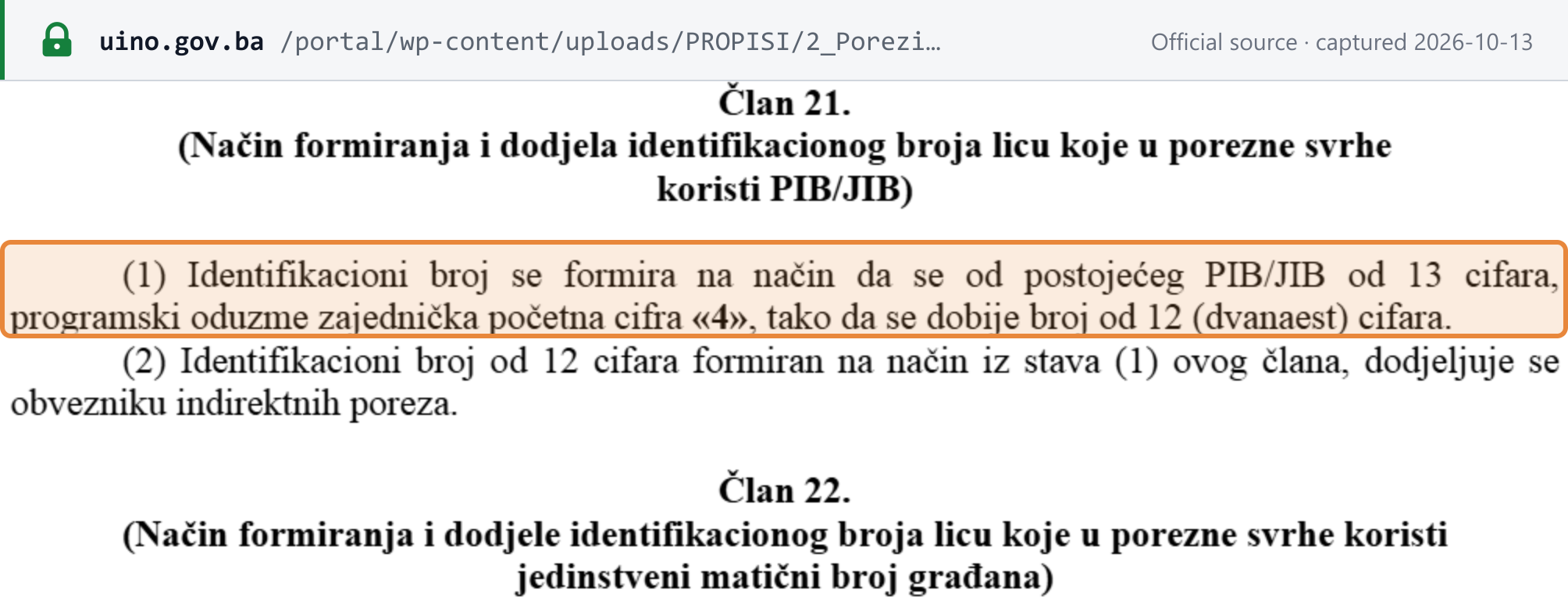 Source snapshot captured 2026-10-13 — original
Common false negatives
Check these before you treat a number as invalid or unregistered:
- The 13-digit JIB pasted as is. UIO says a number that does not contain 12 digits returns no results. Drop the leading
4. [1] - Search by name still selected. The form opens on Search by name; switch to Search by VAT number before you search by number.
- Spaces, a
BAprefix or other characters. Enter the 12 digits only. - A newly registered business. UIO updates the database daily, so a registration made today may not show yet. [1]
- A business with a JIB but no UIO registration. Businesses get their JIB from their entity tax administration (Rulebook 51/12, Art. 20(1)), but only businesses registered with UIO for VAT, foreign trade, international freight forwarding or excise are in UIO's register (Rulebook 51/12, Art. 3). [3]
- A found number that is not a VAT number. A result with a cross under Taxpayer is in UIO's register for another reason, and is not a VAT payer.
- A wrong verification code. It stops the search with "Incorrect entry!"; it does not mean the number is wrong.
Registration
This page does not restate Bosnia and Herzegovina's VAT registration rules. The VAT registration threshold and how to register with UIO are on the Bosnia and Herzegovina Tax ID Guide.
Related resources
- Bosnia and Herzegovina Tax ID Guide: the 13-digit JIB, the 12-digit VAT number, who must register and how
- Bosnia and Herzegovina JIB validator: checks a JIB or 12-digit number such as
200211100005. It does not show UIO's VAT-payer (PDV obveznik) flag, so confirm VAT registration in the UIO Taxpayer database. - Bosnia and Herzegovina tax changes: dated changes to Bosnia and Herzegovina's indirect-tax rules
- Official VAT number lookups by country
The widget below checks the number; it does not show whether the business is a VAT payer.
Frequently Asked Questions
My supplier shows Status Aktivan. Does that mean it is registered for VAT?
Not necessarily. UIO's page shows Aktivan when the business holds any one of the four registrations in the columns before it: Taxpayer (VAT payer), Excise taxpayer, Customs taxpayer or Representative. It shows Pasivan only when all four show a cross. A business registered only for excise, or flagged only as a customs taxpayer, can show Aktivan without being a VAT payer. Read the Taxpayer column for VAT. [1]
Why does my supplier's 13-digit JIB return no results?
UIO's database searches by the 12-digit indirect-tax number, and UIO says that if the number does not contain 12 digits the search will show no results. UIO forms the 12-digit number by removing the common leading 4 from the 13-digit PIB/JIB that the entity tax administration issued, so search 4200211100005 as 200211100005. Also check that Search by VAT number is selected, because the form opens on Search by name. [1] [3]
Why does it matter whether my Bosnian supplier is a VAT payer?
Under Article 55 of the BiH VAT Law, the person who receives an invoice must make sure the supplier is a registered taxpayer, and persons not registered as taxpayers may not show VAT on an invoice. Under Article 32, VAT shown by someone who is not allowed to issue such an invoice cannot be deducted as input tax, even if it was paid in good faith. [4]
What does the Representative column mean?
UIO's database page does not define it. UIO's register has four bases: VAT, foreign trade, international freight forwarding and excise. Do not read Representative as showing that the business is a VAT tax proxy for a non-resident, and do not use it to judge VAT registration; the Taxpayer column answers that. [1] [3]
How Lookuptax can help you in VAT validation?
Lookuptax validates VAT and tax ID numbers, including Bosnia and Herzegovina's JIB and 12-digit VAT number, through one API. Whether a Bosnian business is a VAT payer is confirmed in UIO's Taxpayer database described above.