How to verify a BIN (Business Identification Number) in Bangladesh?
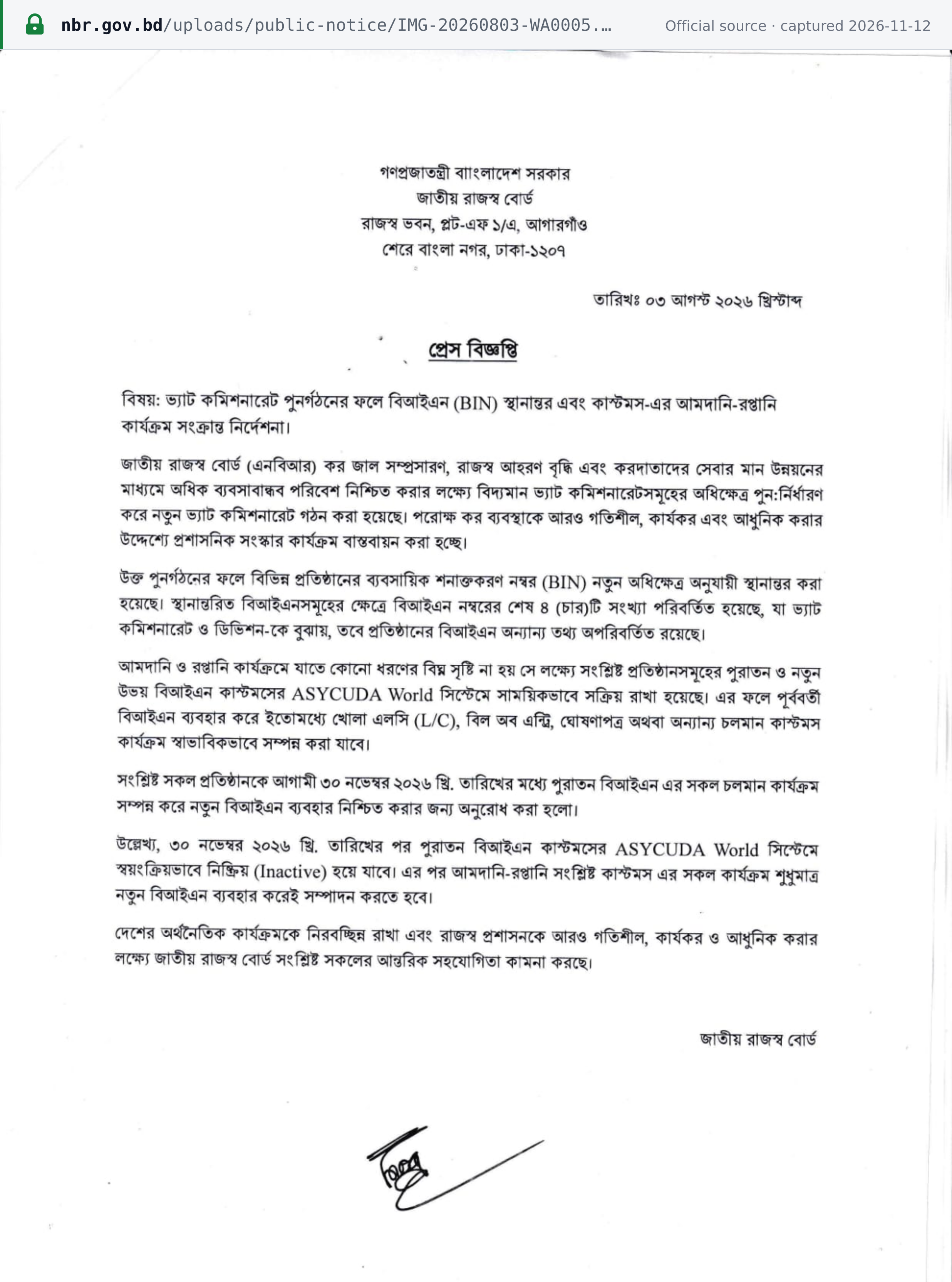
NBR restructured its VAT Commissionerates and moved the BINs of various businesses to the new jurisdictions; NBR announced this in a press release dated 3 August 2026. For those BINs the last 4 digits changed; they denote the VAT Commissionerate and Division. Old and new BINs both stay active in Customs' ASYCUDA World system until 30 November 2026; after that date the old BIN becomes Inactive there. A BIN copied from an invoice or certificate dated before August 2026 may carry the old suffix. See Recent changes. [1]
Where to check a BIN: NBR's "13 Digit BIN" search
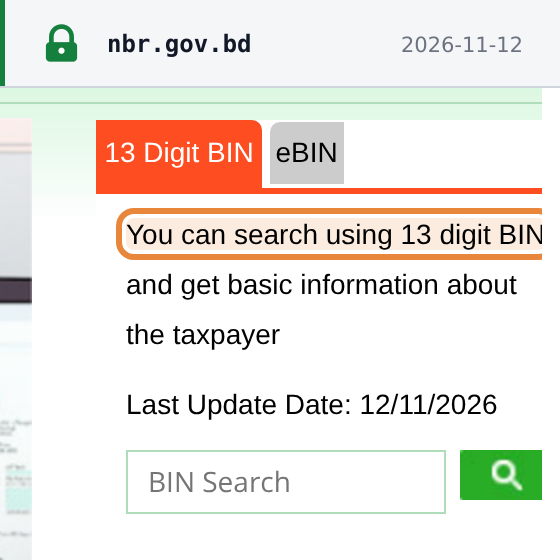
The National Board of Revenue (NBR) runs a free public BIN search on its homepage, nbr.gov.bd. In the panel on the left, the "13 Digit BIN" tab says: "You can search using 13 digit BIN and get basic information about the taxpayer". The results open at nbr.gov.bd/fourteen-digit-bin-search/eng; despite "fourteen" in the address, the box takes the 13-digit BIN.
Rule 10(2) of the VAT and SD Rules 2016 requires NBR to publish its register: "The Board shall publish an updated list of persons registered or enlisted under this Act on the website of the National Board of Revenue" (rule 10(2)). Under rule 10(1) that list holds each person's name and address, business name, BIN, the BINs of separately registered branch units, the date registration or enlistment took effect, and the "latest status of registration or enlistment". [2]
 Source snapshot captured 2026-11-12 — original
What to expect before you search (as at 2026-11-12):
- Free, with no login. The homepage search asks for no login or fee, and NBR's site states no search quota.
- "I'm not a robot". The homepage box has no CAPTCHA. If you search again from the box on the result page, that page shows an "I'm not a robot" checkbox; tick it first.
- Use only the "13 Digit BIN" tab. The homepage also has an "eBIN" tab ("You can search using 9 digit BIN"); it returns an HTTP 404 error page. The homepage has no search for the old 11-digit BIN. See 9-digit and 11-digit BINs below.
- eVAT is not a lookup. vat.gov.bd is NBR's eVAT system, where businesses register and file returns behind a login. Its public pages offer no search of another business's BIN.
- A slow server. nbr.gov.bd can time out. A timeout says nothing about the BIN; try again.
How to verify a BIN
- Open https://nbr.gov.bd/ and keep the "13 Digit BIN" tab selected in the panel on the left.
- Type the BIN with its hyphen after the ninth digit, in the form
123456789-0101, into "BIN Search" and click the magnifier. Type it exactly as printed on the certificate or invoice, hyphen included. - Read the "Your BIN Status" card. Check that all 13 digits and the name match the invoice or certificate, then read Tax Type and Status (see the table below).
- Optional: branches and returns. NBR also has "Branch Status" and "Tax Return Status" pages, which list a BIN's branch units and its return periods.
NBR does not publish how quickly a new registration appears in the search. If a BIN on a certificate issued in the last few weeks returns Not Found, ask the business for its registration certificate and try again later.
What the result tells you
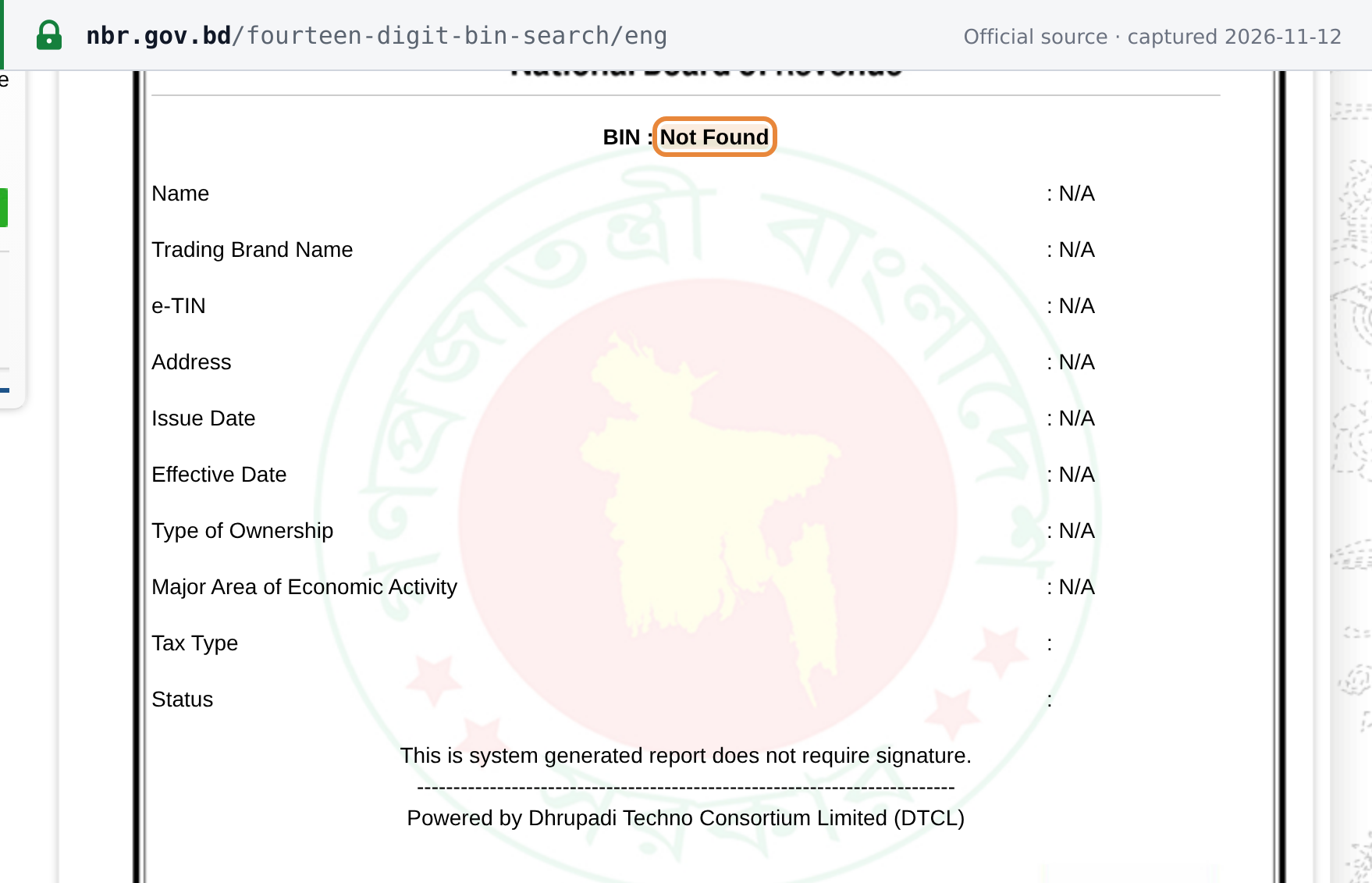
A found BIN shows these fields, in this order (as at 2026-11-12):
| Field | What it shows |
|---|---|
| BIN | The 13-digit BIN. |
| Name / Trading Brand Name | The registered name, and any trading name. |
| e-TIN | The business's income-tax number. It is not the BIN. |
| Address | The registered business address. |
| Issue Date / Effective Date | When the BIN was issued, and when the registration or enlistment took effect. |
| Type of Ownership | The legal form of the business. |
| Major Area of Economic Activity | The business's main economic activity. |
| Tax Type | The tax the BIN covers. NBR issues BINs for both VAT registration and turnover-tax enlistment, so read this line. |
| Status | The registration status. NBR publishes no list of the values this field can take. |
The card ends: "This is system generated report does not require signature."
A search with no match shows the same card with "BIN : Not Found" and "N/A" or a blank in every field. There is no error message and no hint about the format:
 Source snapshot captured 2026-11-12 — original
"Not Found" can mean a formatting mistake, an old suffix (NBR changed the last 4 digits of transferred BINs in 2026), an old 9- or 11-digit number, a typo, or a BIN that is not registered. Work through the common false negatives before you treat the BIN as invalid.
BIN format
A BIN is 13 digits, printed as 9 digits, a hyphen and 4 digits: NNNNNNNNN-NNNN. For the full format and the e-TIN, see our Bangladesh Tax ID Guide.
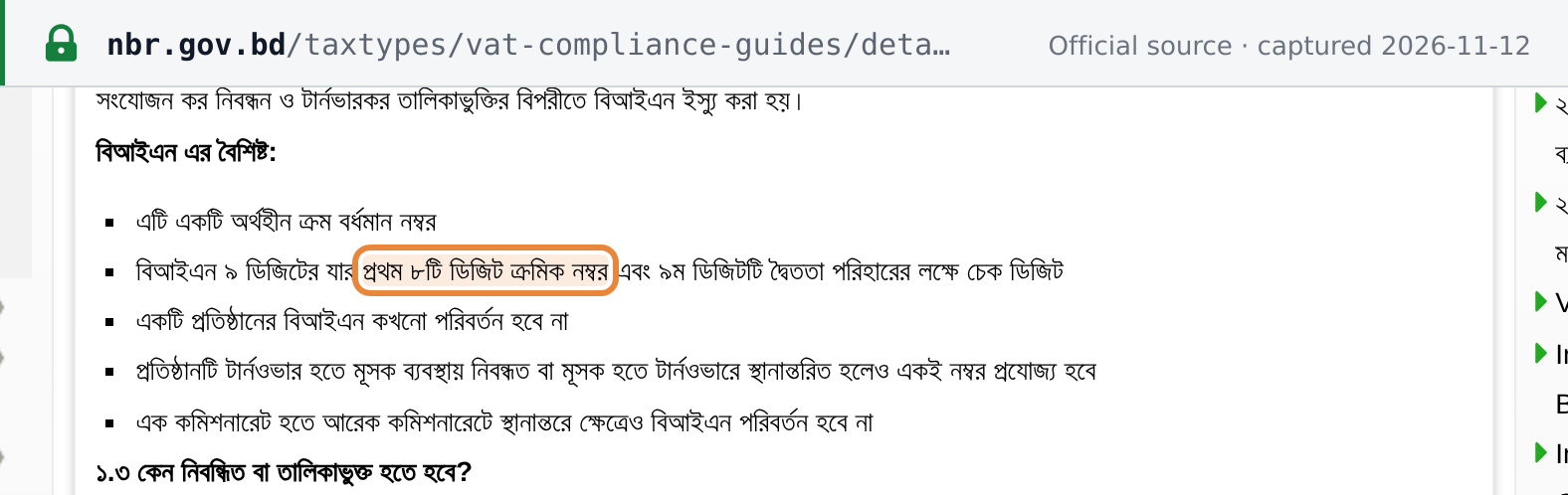
- The first 9 digits are the core BIN. NBR's Compliance Guide on registration and enlistment (in Bangla) describes the BIN as a meaningless ascending number of 9 digits: the first 8 digits are a serial number and the 9th is a check digit, to avoid duplication. The core does not change when a business moves between turnover tax and VAT, or from one Commissionerate to another. [3]
- The last 4 digits denote the VAT Commissionerate and Division, per NBR's press release of 3 August 2026. They changed for BINs transferred in the 2026 restructuring. [1]
- Older numbers. Under the 1991 VAT Act, BINs were 11 digits and changed when the business's address changed; under the 2012 Act the BIN is the 9-digit number, which does not. [4]
 Source snapshot captured 2026-11-12 — original
 Source snapshot captured 2026-11-12 — original
To check that a BIN is well formed before you search, use our Bangladesh BIN checker. It checks the format only; NBR's search is what confirms the registration.
Common false negatives
- Not typed as printed. Type
123456789-0101, with the hyphen, exactly as printed. - Only the first 9 digits. The box expects all 13 digits. Add the 4-digit suffix from the registration certificate or the invoice.
- A changed suffix. A BIN transferred in the 2026 restructuring has new last 4 digits. A pre-August 2026 invoice or certificate may show the old ones. Ask the supplier for its current BIN. [1]
- A 9-digit e-BIN or an 11-digit old BIN. The homepage's "eBIN" tab returns an HTTP 404 error page, and the homepage has no 11-digit search (as at 2026-11-12). Ask for the 13-digit BIN.
- An e-TIN instead of a BIN. The e-TIN is the income-tax number, a different identifier, shown as a separate field on the result card.
Recent changes
- 2026-08-03 — After the VAT Commissionerates were restructured, NBR moved the BINs of various businesses to the new jurisdictions and changed the last 4 digits of those BINs (they denote the VAT Commissionerate and Division). Old and new BINs both stay active in Customs' ASYCUDA World system until 30 November 2026; after that date the old BIN becomes Inactive there and all import and export work must use the new BIN. (National Board of Revenue)
Related resources
- Bangladesh VAT guide: VAT rates, who must register or enlist, thresholds and invoicing rules.
- Bangladesh Tax ID Guide: the BIN and the e-TIN.
- Bangladesh BIN checker: check a BIN's format, such as
123456789-0101, before you search. - Worldwide tax rates: VAT and sales tax rates by country.
There is no separate how-to-register guide for Bangladesh yet; the registration section of the Bangladesh VAT guide covers it.
Frequently Asked Questions
I typed a supplier's BIN and NBR shows "BIN : Not Found". Is the BIN fake?
Not necessarily. The NBR search shows the same "BIN : Not Found" card, with "N/A" or a blank in every field and no error message, whenever it cannot match what you typed. Check these first: type all 13 digits exactly as printed, with the hyphen after the ninth digit (123456789-0101); don't search the first 9 digits alone; check the last 4 digits, which NBR changed for BINs transferred to a new VAT Commissionerate in 2026; and check for a typo. If it still returns Not Found, ask the supplier for its current registration certificate or a recent tax invoice and search again. Treat the BIN as unconfirmed until it returns a record. [1][2]
My supplier says its BIN changed in 2026. Which number should I use?
Use the new one. NBR's press release of 3 August 2026 says that after the VAT Commissionerates were restructured, the BINs of various businesses were moved to the new jurisdictions, and for those BINs the last 4 digits changed. Those digits denote the VAT Commissionerate and Division; the rest of the business's BIN information is unchanged. Both the old and the new BIN stay active in Customs' ASYCUDA World system until 30 November 2026. After that date the old BIN becomes Inactive in ASYCUDA World automatically, and all import and export work must use the new BIN. Update the BIN in your supplier and customer records, and on the invoices you issue. [1]
A document shows a 9-digit or 11-digit BIN. Can I still check it?
Not on its own. The 11-digit BIN belongs to the old 1991 VAT Act. The 9-digit e-BIN replaced it under the 2012 Act. Today's BIN is that 9-digit number plus a 4-digit suffix, 13 digits in all. As at 2026-11-12, the NBR homepage's "eBIN" (9-digit) tab returns an HTTP 404 error page, and the homepage has no search for the 11-digit BIN. Ask the business for its current 13-digit BIN and search that in the "13 Digit BIN" box. [1][2]
Can I claim input tax on a supplier's invoice that doesn't show my BIN?
Not under section 46 of the VAT and Supplementary Duty Act 2012. Section 46(1)(চ) disallows input tax credit if the tax invoice does not state the name, address and registration number of both the buyer and the seller. Rule 40(1)(c) of the VAT and SD Rules 2016 requires the VAT-6.3 invoice to show the supplier's name, address and BIN, and the purchaser's name, address and BIN (where applicable) when the supply exceeds Taka 25,000. Check the supplier's BIN on the NBR search before you book the invoice, and ask for a corrected invoice if either BIN is missing or wrong. [1][2]
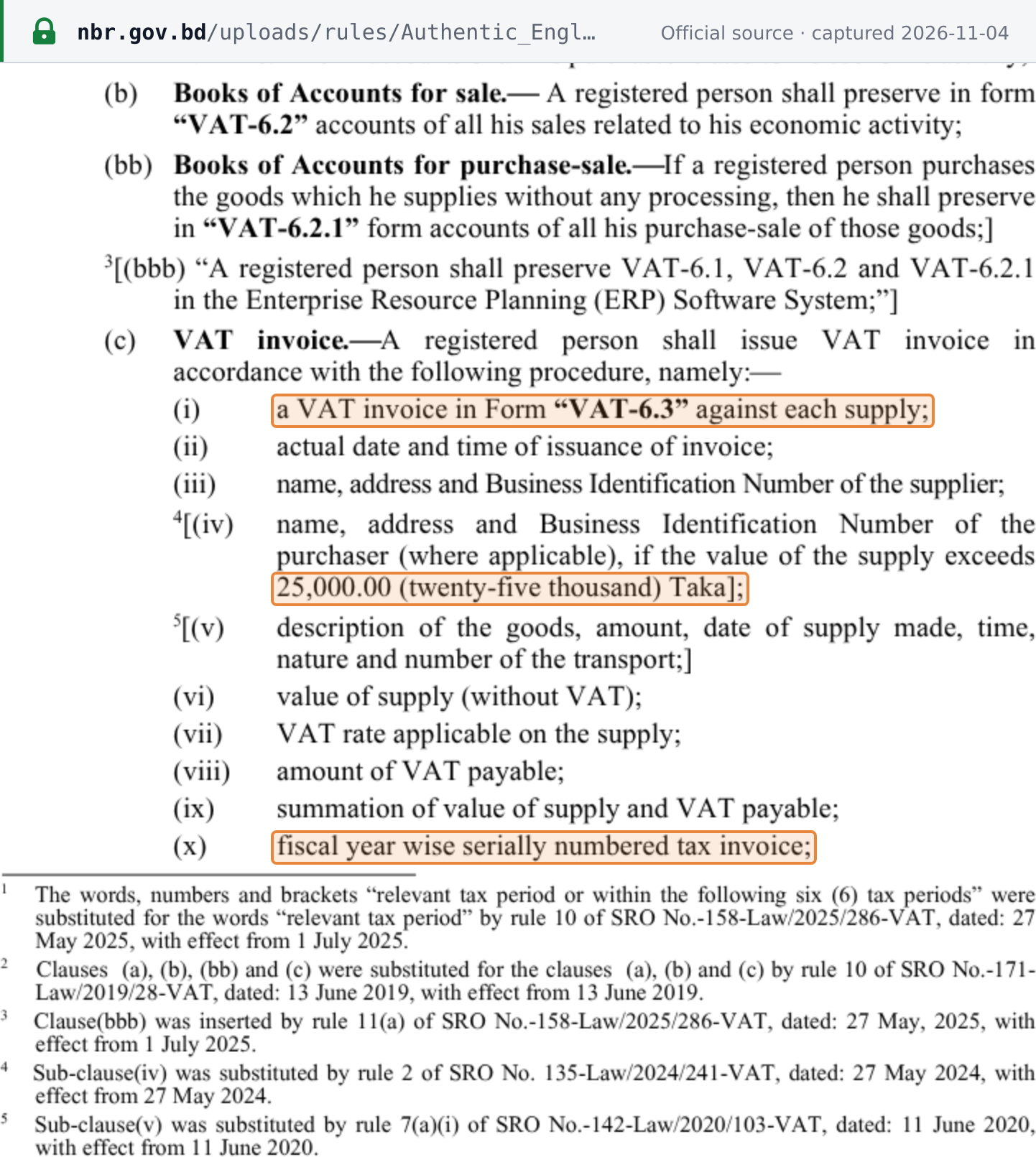 Source snapshot captured 2026-11-04 — original
Why is my bank asking for a BIN to open a business account?
Because the law now requires it. Section 4(3) of the VAT and SD Act 2012, inserted by the Finance Act 2026 with effect from 1 July 2026, makes a BIN or proof of turnover-tax enlistment mandatory for opening or operating a business current or STD account at a bank or non-bank financial institution, taking a loan from one, renewing a trade licence, opening a mobile financial services merchant account, joining or renewing membership of a trade body, getting an electricity or gas connection, and registering a vehicle with BRTA in a business name. Banks and utilities can check the BIN on the NBR search. [1]
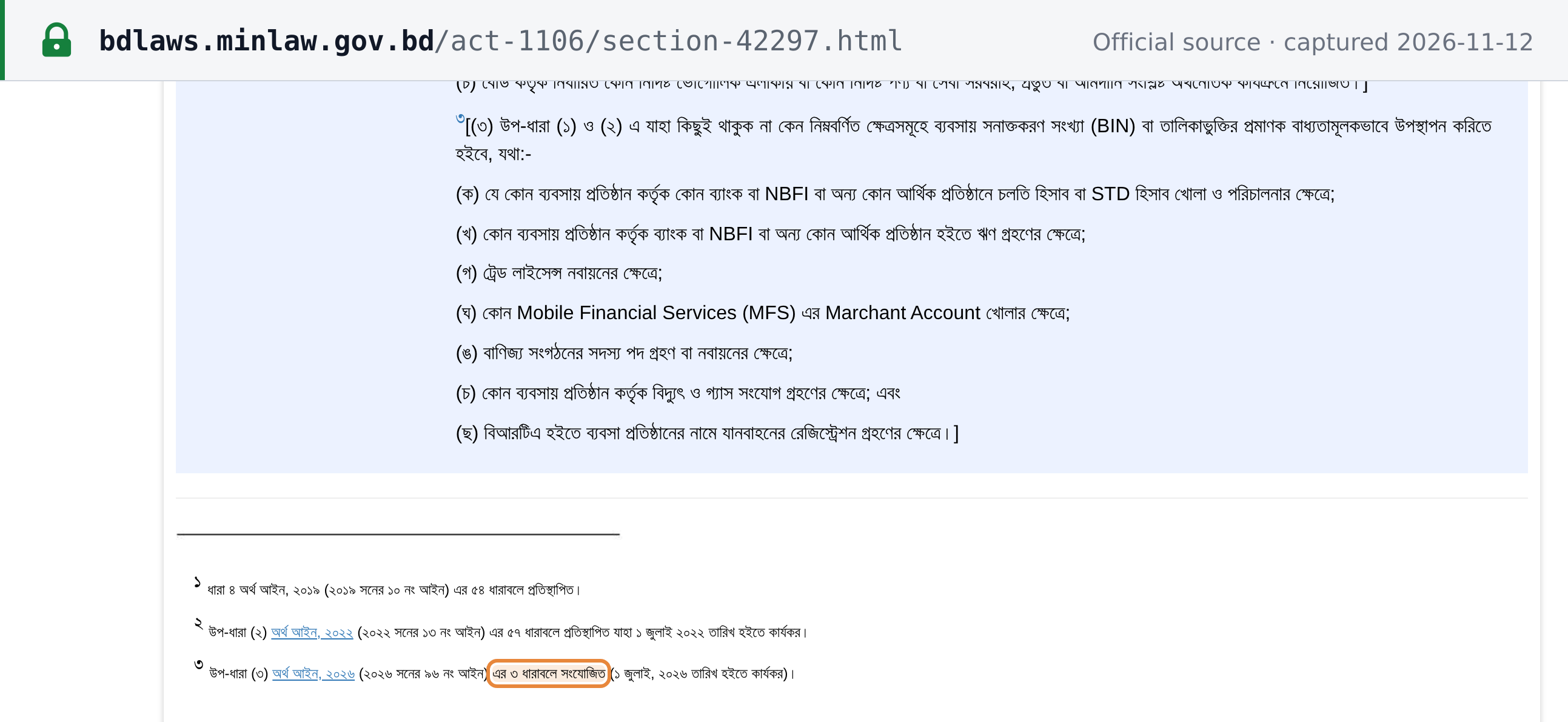 Source snapshot captured 2026-11-12 — original
Does a BIN mean the business is registered for VAT?
Not by itself. NBR issues a BIN both for VAT registration and for turnover-tax enlistment, so the number alone does not tell you which. Read the "Tax Type" line on the result card, then "Status". Also don't confuse the BIN with the e-TIN, the income-tax number, which the result card shows as a separate field. [1]
How Lookuptax can help you in BIN validation?
Lookuptax validates VAT and tax ID numbers, including the Bangladesh BIN, through one API. It checks each number's format and, where an official lookup is available, its registration status against the official source.