How to verify an Australian Business Number (ABN)
Verify an ABN on the official ABN Lookup service
Use the Australian Business Register's free ABN Lookup portal to check whether an ABN is active and whether the entity is registered for GST. You can search by ABN, ACN, or business name on the official service here, and use the filtered lookup here.
If you need the company-number side of the record, see our guide to verifying an Australian Company Number (ACN).
Step 1: Open the official ABN Lookup service
Go to the Australian Business Register website at abr.business.gov.au. This is the official public source for ABN verification in Australia.
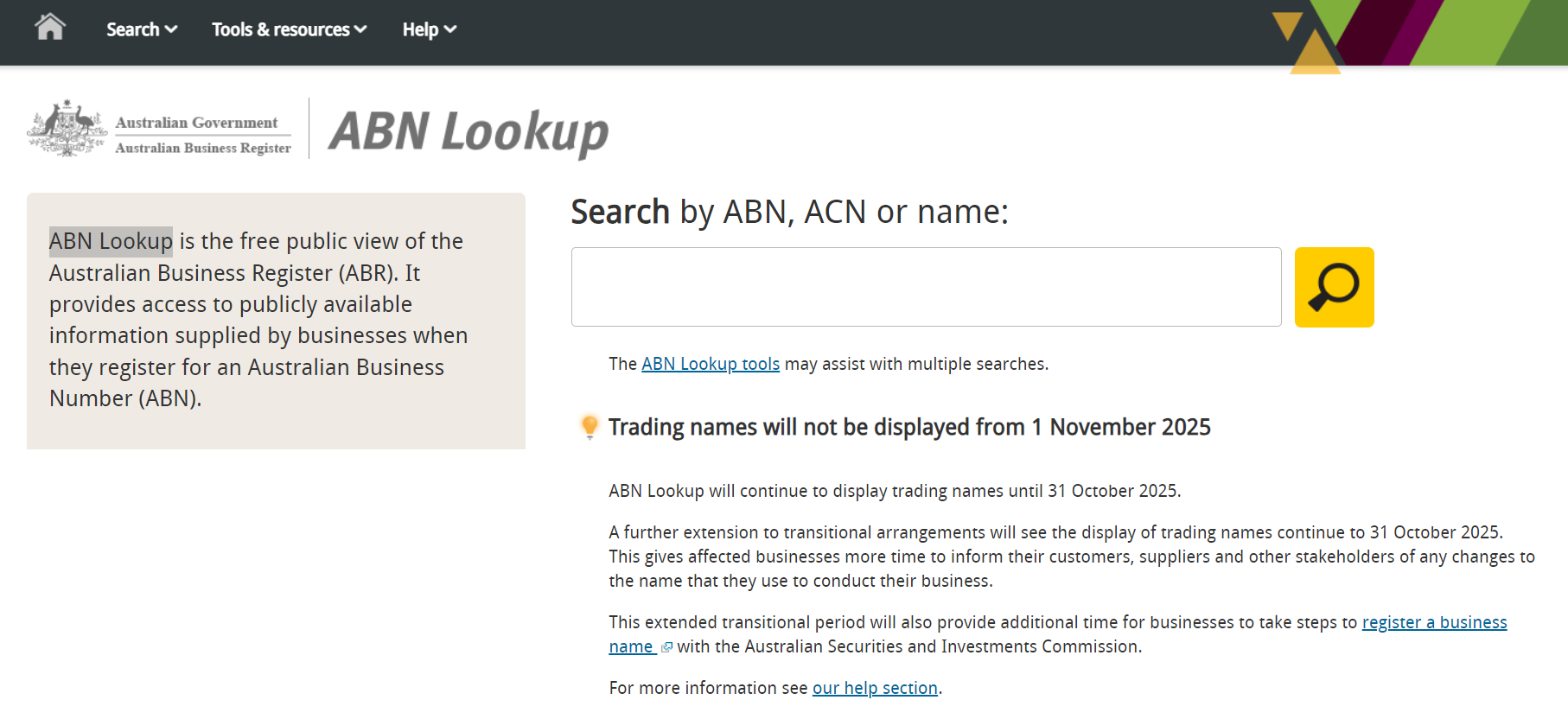 |
| ABN Lookup search form |
Step 2: Enter the ABN, ACN, or business name
Enter the 11-digit ABN, a related 9-digit ACN, or the business name into the search box. Example: 49160299865.
Step 3: Review the ABN and GST registration result
The search result returns the details most finance and onboarding teams need:
- Entity name
- ABN status
- Entity type
- Registration status for Goods and Services Tax (GST)
- Main business location
Check the GST registration field separately from the ABN status. A business can still have an active ABN even if its GST registration has been cancelled.
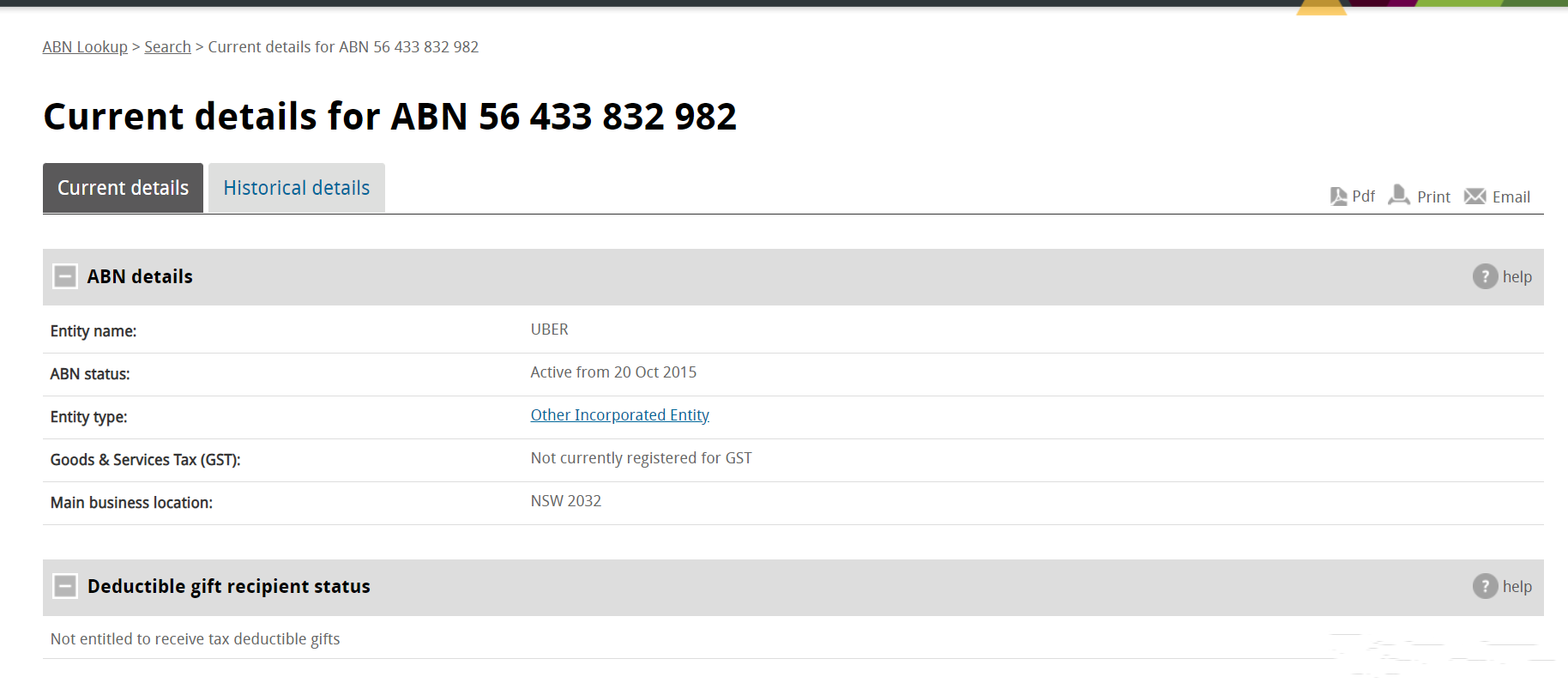 |
| ABN Lookup result |
Step 4: Validate the ABN format and checksum
Australia Business Number consists of 11 digits.
| Regex expressions | Description |
|---|---|
\b\d{2}\.\d{3}\.\d{3}\.\d{3}\b | Matches an 11-digit ABN formatted with dots. |
\b\d{2}-\d{3}-\d{3}-\d{3}\b | Matches an 11-digit ABN formatted with hyphens. |
\b\d{2} \d{3} \d{3} \d{3}\b | Matches an 11-digit ABN formatted with spaces. |
\b\d{11}\b | Matches an 11-digit ABN without separators. |
If you are validating ABNs in software, apply the modulus-89 rule after stripping separators:
- Subtract 1 from the first digit.
- Multiply the 11 digits by
[10, 1, 3, 5, 7, 9, 11, 13, 15, 17, 19]. - Add the products.
- Confirm the total is divisible by 89.
No valid ABN starts with 0.
For the broader identifier context, see our Australia ABN and TFN tax ID guide.
Common verification pitfalls
- A valid checksum does not prove the ABN is currently registered.
- An active ABN does not automatically mean the entity is GST-registered.
- Suppliers can quote an ACN as a search input, but GST status still needs to be checked on the ABN record.
- The legal entity name on ABN Lookup may differ from the brand or trading name shown on an invoice.
Frequently Asked Questions
ABN Lookup only displays an ABN once the Australian Business Register (ABR) has fully processed and issued the number. If your application required manual review — which happens when identity information cannot be automatically verified — processing can take up to 28 business days. During that window, searching your ABN on abr.business.gov.au will return no result even though your application reference number is valid. Use the ABR's application progress checker to confirm your status rather than treating a "not found" result as a rejection. [1] [2]
These are two separate statuses and both matter. An ABN can remain Active while GST registration is independently cancelled. ABN Lookup returns both ABN status and GST registration status; you must check the GST field specifically, not just the ABN status field. If the supplier's GST registration is cancelled, they cannot legally charge GST on invoices. If you pay GST to a supplier who is not GST-registered, those credits may be disallowed by the ATO on audit. Always verify the GST registration column before processing any invoice that includes a GST component. [1]
You are legally required to withhold 47% of the payment amount (excluding GST) and remit it to the ATO as PAYG withholding — this applies to any payment over AU$75 where the supplier has not quoted a valid, active ABN. This is not optional: failing to withhold makes the payer liable for the unpaid amount. The supplier can reclaim the withheld tax when they lodge their tax return. A supplier who cannot or will not provide an ABN can instead complete a "Statement by a supplier not quoting an ABN" form, which exempts certain transactions such as supplies under $75 or hobby sales. The 47% rate has applied since 1 July 2017. [1] [2]
Yes. The ABR publishes a regular maintenance schedule: the portal typically goes offline between 12:15 am and 7:00 am AEDT on Fridays, and between 11:30 pm Saturday and 7:00 am Sunday AEDT. Automated systems or batch verification jobs running at these times will receive errors or no response. For real-time outage information outside these windows, the ABR maintains a public status page. If you are building an integration, the ABR recommends registering for the web services API, which provides a GUID-authenticated endpoint with outage notifications. [1] [2]
This happens regularly. The ABR runs an ongoing integrity program that automatically cancels ABNs where there is no evidence of business activity — for example, where the holder has not reported business income in tax returns or activity statements. The entity receives a notice, but their trading partners are not informed. The ABN Lookup record updates within hours of cancellation. If you discover a supplier's ABN has been cancelled, withhold 47% of future payments until they reactivate their ABN or supply a new one. You cannot recover GST credits on invoices issued after the cancellation date. [1] [2]
The ABN uses a modulus-89 weighted checksum: subtract 1 from the first digit, multiply each of the 11 digits by the weighting factors [10, 1, 3, 5, 7, 9, 11, 13, 15, 17, 19], sum the products, and verify the total is divisible by 89. This catches transposition errors reliably, but it does not confirm registration — a number can pass the checksum but not exist in the ABR. Two common implementation bugs are failing to strip every separator character and accepting ABNs where the first digit is zero. For confirmed registration status, query the ABR web services API, which requires a free GUID registration. [1] [2]
Not necessarily. Foreign entities — including non-resident businesses that register for GST on digital sales to Australian consumers — must provide additional proof of identity when applying for an ABN, which routes their application to a manual review queue. This can delay ABN issuance by up to 28 business days. Additionally, the ABR online application system does not support all foreign entity types; some foreign companies must apply through a registered tax agent rather than the self-service portal. Once issued, the ABN will appear on abr.business.gov.au within hours. [1] [2]
This is a common verification problem when the invoice shows a shopfront brand, older trading name, or trustee wording instead of the legal entity name. ABN Lookup distinguishes between entity names, registered business names, and historical trading names. The ABR stopped collecting and updating trading names in May 2012, and those old trading names are kept only for historical reference. If the invoice name does not match your search result, check the ABN record for the legal entity name first, then confirm whether the supplier's public-facing name is a registered business name on ASIC's business names register. [1] [2] [3]
How Lookuptax can help you in VAT validation
Lookuptax VAT validation helps teams verify tax IDs against official sources across more than 100 countries, reduce onboarding errors, and keep audit trails for cross-border compliance.