How to verify Registration Number in Malaysia?
Registration number search on SSM e-Search
The Companies Commission of Malaysia (Suruhanjaya Syarikat Malaysia, SSM) registers companies, businesses and limited liability partnerships (LLPs). Its official public lookup is e-Search on the SSM portal at https://www.ssm.com.my/Pages/e-Search.aspx. The SSM menu lists e-Search under both "Registration of Business (ROB)" and "Registration of Company (ROC)". [1]
What to expect before you search:
- Free, no login. The e-Search form needs no account. [1]
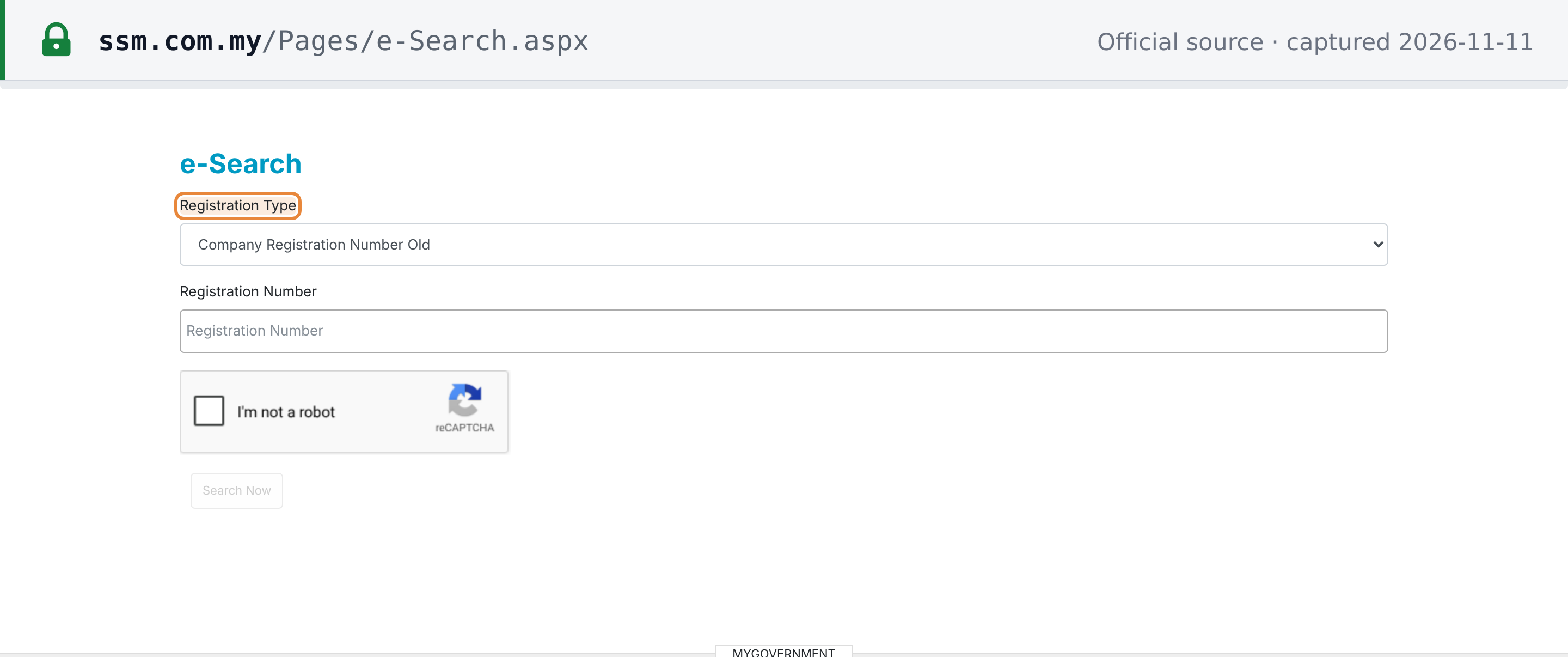
- Google reCAPTCHA. The form carries an "I'm not a robot" check, and the Search Now button stays disabled until you tick it. A search that never runs, or a script that gets nothing back, is not a "not found" result. [1]
- No published quota. The e-Search page states no daily search limit (as at 2026-11-11).
- Choose the type first. A "Registration Type" dropdown with five options comes before the number box. Each option takes one number format (see the steps below).
- Not the MySSM app. SSM says the MySSM application "will remain temporarily unavailable until 30 June 2027", and lists "e-Search – SSM's official portal at www.ssm.com.my" as the alternative channel for "Enquiries on the registration details of companies, businesses and Limited Liability Partnerships (LLPs)". [2]
- Old bookmarks. The address
https://www.ssm.com.my/Pages/Quick_Link/e-Search.aspx, still quoted on some third-party sites, returned HTTP 404 on 2026-11-11. Use/Pages/e-Search.aspx.
 Source snapshot captured 2026-11-11 — original
How to verify a registration number on SSM e-Search
- Open SSM e-Search. Go to e-Search on the SSM portal at https://www.ssm.com.my/Pages/e-Search.aspx. No account or login is needed.
- Choose the Registration Type. Under "Registration Type", pick the option that matches the number you hold: Company Registration Number Old, Business Registration Number Old, Company Registration Number New, Business Registration Number New, or LLP Registration Number.
- Enter the Registration Number. Type the number in the "Registration Number" box in the form SSM's example shows for that type:
123456for an old company number (digits only),123456789for an old business number,201902123456for a new company number,201903123456for a new business number, orLLP0012345-LGNfor an LLP. - Pass the reCAPTCHA and search. Tick the "I'm not a robot" check. The "Search Now" button stays disabled until you do. Then click "Search Now".
- Read the result. In a result captured on 25 July 2024, SSM's result table listed the Registration Number, New Registration Number, Entity Type (which held the entity's name), Status and GST Number, followed by an "As at" date, and a live company showed the status EXISTING.
The option labels and examples above are as shown on the e-Search form (as at 2026-11-11). [1] There is no "LLP New" option: an LLP is searched by its LLP-format number.
What the result tells you
The result screen sits behind the reCAPTCHA, so this section describes the layout of a result captured on 25 July 2024 for Tenaga Nasional Berhad (new number 199001009294):
| Column | Value shown |
|---|---|
| Registration Number | 200866-W |
| New Registration Number | 199001009294 |
| Entity Type | TENAGA NASIONAL BERHAD (the column holds the entity's name, despite its heading) |
| Status | EXISTING |
| GST Number | 001107427328 |
 SSM e-Search result captured 2024-07-25 — original
Below the table, that 2024 result showed "As at : 25/07/2024" and "GST No. as at: 31/01/2016", and an SSM notice that it "shall not be held liable and responsible for any misuse of the information".
How to read it:
- Status. In the 2024 result, a live company showed
EXISTING. If Status shows anything other than EXISTING, ask the entity for current documents or buy a profile (below). - GST Number. Malaysia replaced GST with SST from 1 September 2018 [9] (see the Malaysia SST guide), and the result dates the GST number "as at 31/01/2016". It is a historic number, not an SST registration number and not an LHDN tax identification number.
- Old and new numbers together. The result shows both, so you can look up the 12-digit number of an entity you only know by its old number.
Paid profiles for directors, shareholders and charges
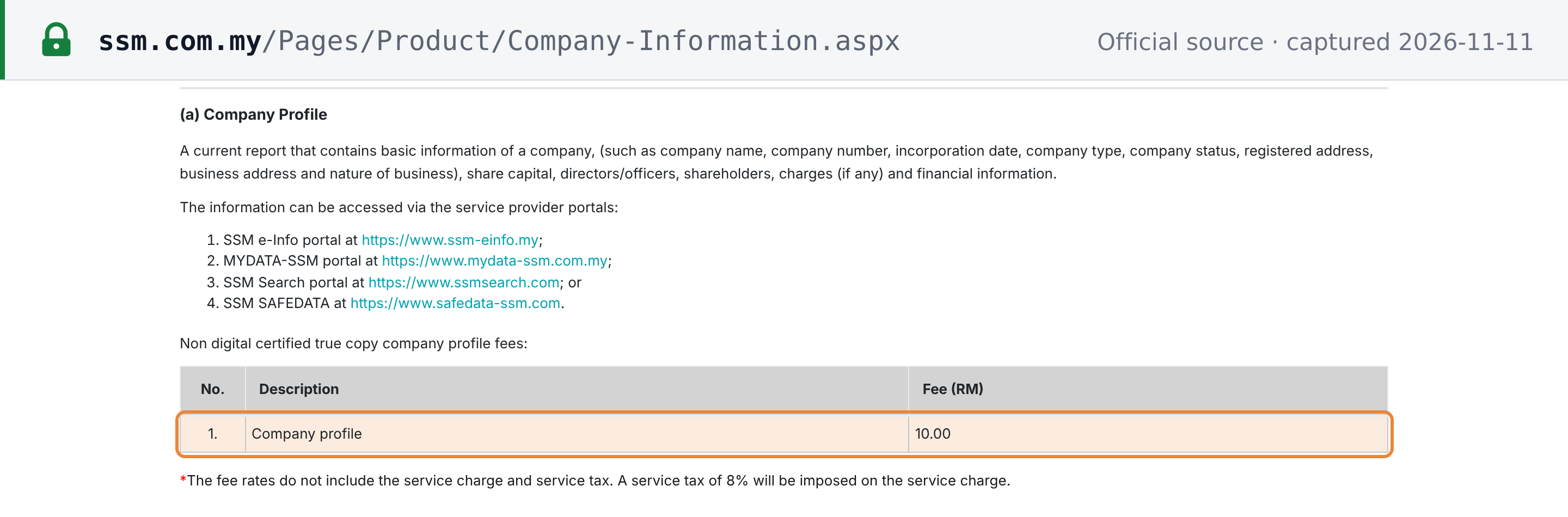
e-Search confirms the number, name and status. For directors, shareholders, charges or financial information, buy a profile. SSM sells company and business information through four service-provider portals: SSM e-Info, MYDATA-SSM, SSM Search and SSM SAFEDATA. A company profile or a business profile costs RM10.00 (as at 2026-11-11), excluding the provider's service charge; SSM states that "A service tax of 8% will be imposed on the service charge." A digitally certified true copy adds RM10.00 for a company profile and RM5.00 for a business profile. [3][4]
 Source snapshot captured 2026-11-11 — original
Registration number format
SSM announced "a new format of registration number containing 12 digit characters for company, business and Limited Liability Partnership beginning 11 October 2019". During the transition period, "the existing registration number will be displayed along with the new format", with SSM's example "Registration No: 201901000005 (1312525-A)", "for a period that will be announced later". [5] SSM's announcement gives no end date for that transition period (as at 2026-11-11).
 Source snapshot captured 2026-11-11 — original
New format (12 digits). SSM's announcement says only that the new number contains 12 digit characters and applies to companies, businesses and LLPs from 11 October 2019; its example is AMS Setia Jaya Sdn. Bhd., 201901000005 (1312525-A). [5] In the 2024 result above, Tenaga Nasional Berhad's new number is 199001009294.
SSM's announcement describes no check digit for the 12-digit number, so a well-formed string can still belong to no one: only e-Search confirms it.
Old formats. Each is entered on e-Search as SSM's example shows: an old company number as digits only (123456), an old business number as 123456789, and an LLP number as LLP0012345-LGN. [1] Old company numbers are usually written with a letter suffix, as in 1312525-A; SSM's e-Info portal calls this the "company registration number and check digit". [6]
For the registration number alongside Malaysia's other tax identifiers (the LHDN TIN, the SST number and MyKad), see our Malaysia Tax ID Guide.
Common false negatives
- Wrong Registration Type. A 12-digit number searched under a "…Old" option, or a business number searched under a company option, will not match. Pick the type first. [1]
- Check letter on an old company number. SSM's example for "Company Registration Number Old" is
123456, without the letter. Enter the digits only. - An LLP searched as a company. There is one LLP option, and it takes the LLP-format number (
LLP0012345-LGN). - Sabah and Sarawak sole proprietors and partnerships. The Registration of Businesses Act 1956 applies to Peninsular Malaysia and the Federal Territory of Labuan. A sole proprietor or partnership elsewhere may have no SSM business registration. [7]
- Expired business registration. Under the Act, a business registration "shall expire on the date stated in the certificate of registration or upon the termination of the business" unless renewed. [7]
- Struck-off and dissolved companies. A struck-off company is dissolved (Companies Act 2016, s.554). Its number still looks valid. [8]
- A GST, SST or TIN number instead of the SSM number. e-Search takes SSM registration numbers only. Check SST registration on RMCD's MySST, and an income tax number with LHDN.
- reCAPTCHA not solved. If "Search Now" stays grey, no search has run.
Related resources
- Malaysia SST guide: sales tax, service tax, registration and invoicing rules.
- Malaysia Tax ID Guide: the LHDN TIN, the SST registration number and MyKad.
- How to register for SST in Malaysia: who must register and the registration threshold.
- MyInvois e-invoicing in Malaysia: where the registration number goes on an e-Invoice.
Frequently Asked Questions
Why does SSM show two different registration numbers for the same company?
SSM moved to a 12-digit registration number for companies, businesses and limited liability partnerships beginning 11 October 2019. During the transition period, SSM displays the existing (old) registration number along with the new one, "for a period that will be announced later". SSM's own example is 201901000005 (1312525-A). SSM's announcement gives no end date for that transition period (as at 2026-11-11). Both numbers identify the same entity. On e-Search, choose "Company Registration Number New" for the 12-digit number or "Company Registration Number Old" for the old one; the result shows both. [1][2]
Is the SSM registration number the same as an SST registration number?
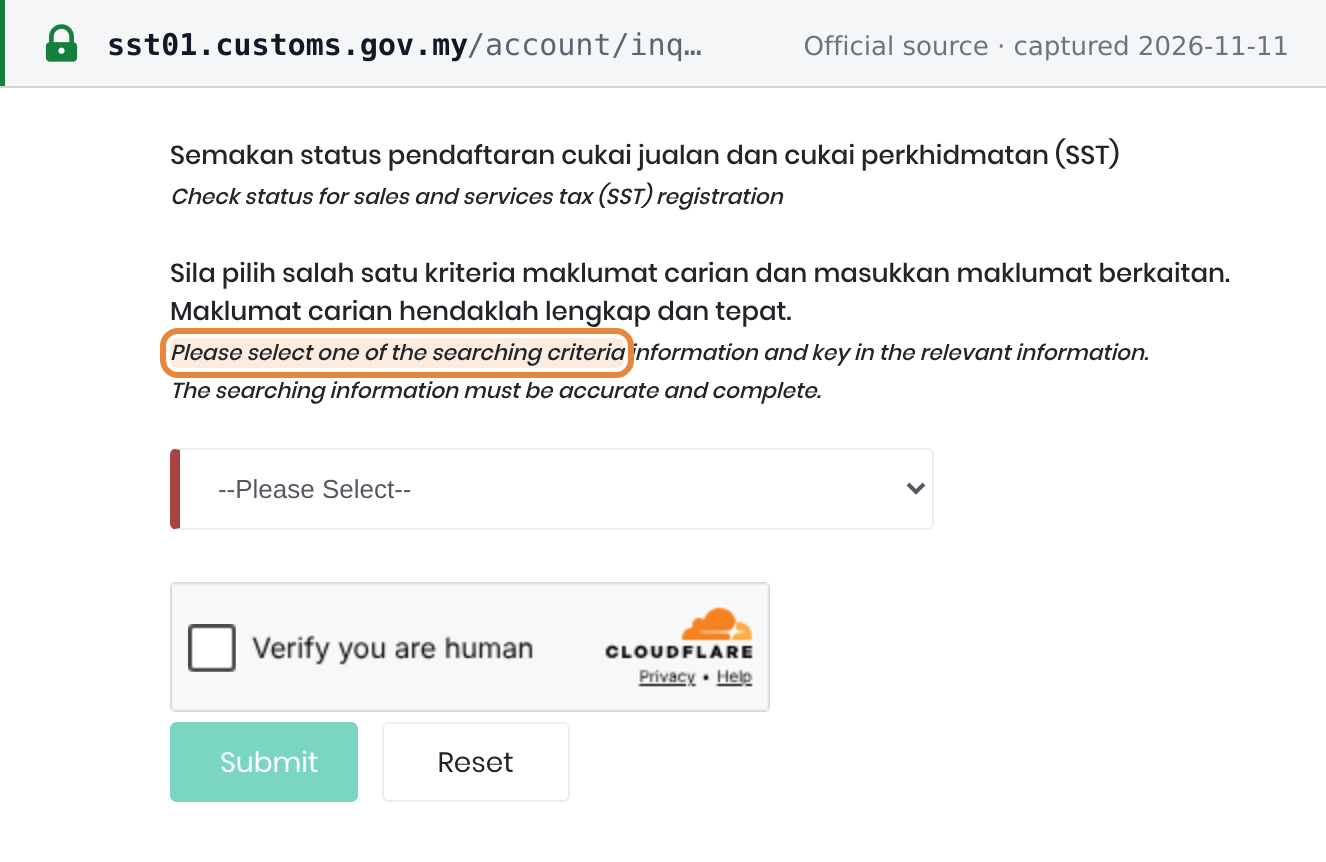
No. SSM, the Companies Commission of Malaysia, issues the registration number of a company, business or LLP. The Royal Malaysian Customs Department (RMCD) issues the Sales and Service Tax (SST) registration number. A business can hold an SSM number and no SST registration, for example because it is below the registration threshold. To check SST status, use the "Registration Status" check on RMCD's MySST portal (https://sst01.customs.gov.my/account/inquiry). It lets you search by SST Registration No., Business Registration No., Name of Business or GST Registration No., so an SSM number can be used there directly. That check is protected by a human-verification box. The "GST Number" on an SSM e-Search result is a historic Goods and Services Tax number, not an SST number. [1]
 Source snapshot captured 2026-11-11 — original
For the SST registration threshold, see How to register for SST in Malaysia.
A company has been struck off the SSM register — can I still deal with it?
Treat it as no longer existing. Under section 554(1) of the Companies Act 2016, where a company is struck off under section 549, "the company shall be dissolved", but the liability of every director or officer and member "continues and may be enforced as if the company had not been dissolved". The Registrar strikes companies off under section 549; section 550 lets a director, member or liquidator apply for it. Under section 555(1), a person aggrieved by the strike-off may apply to the Court within seven years to reinstate the company's name. Ask for evidence of reinstatement before you transact. [1]
Do foreign companies operating in Malaysia have their own SSM registration number?
Yes. Section 561(1) of the Companies Act 2016 (Part V, Division 1) says a foreign company "shall not carry on a business in Malaysia unless the foreign company is registered as a foreign company under this Act". Under SSM's guidelines, the applicant may submit the registration information within 30 days from the date the company name is approved, and SSM issues a notice of registration within one working day once the procedures are complied with. The foreign company then has its own SSM number, which you search on e-Search with a company Registration Type. Its home-country registration number will not be found on e-Search. [1][2]
My supplier is a sole proprietor in Sabah and e-Search finds nothing — is the number fake?
Not necessarily. Sole proprietorships and partnerships register with SSM under the Registration of Businesses Act 1956, which applies to Peninsular Malaysia and the Federal Territory of Labuan. A sole proprietor or partnership in Sabah or Sarawak may therefore have no SSM business registration at all. In Peninsular Malaysia and Labuan, a business must apply for registration within 30 days of starting, and its registration expires unless renewed; each renewal lasts no more than five years. If a business number returns nothing, also check that you chose "Business Registration Number Old" or "Business Registration Number New", not a company option. [1][2]
My e-invoice was rejected over the business registration number — what went wrong?
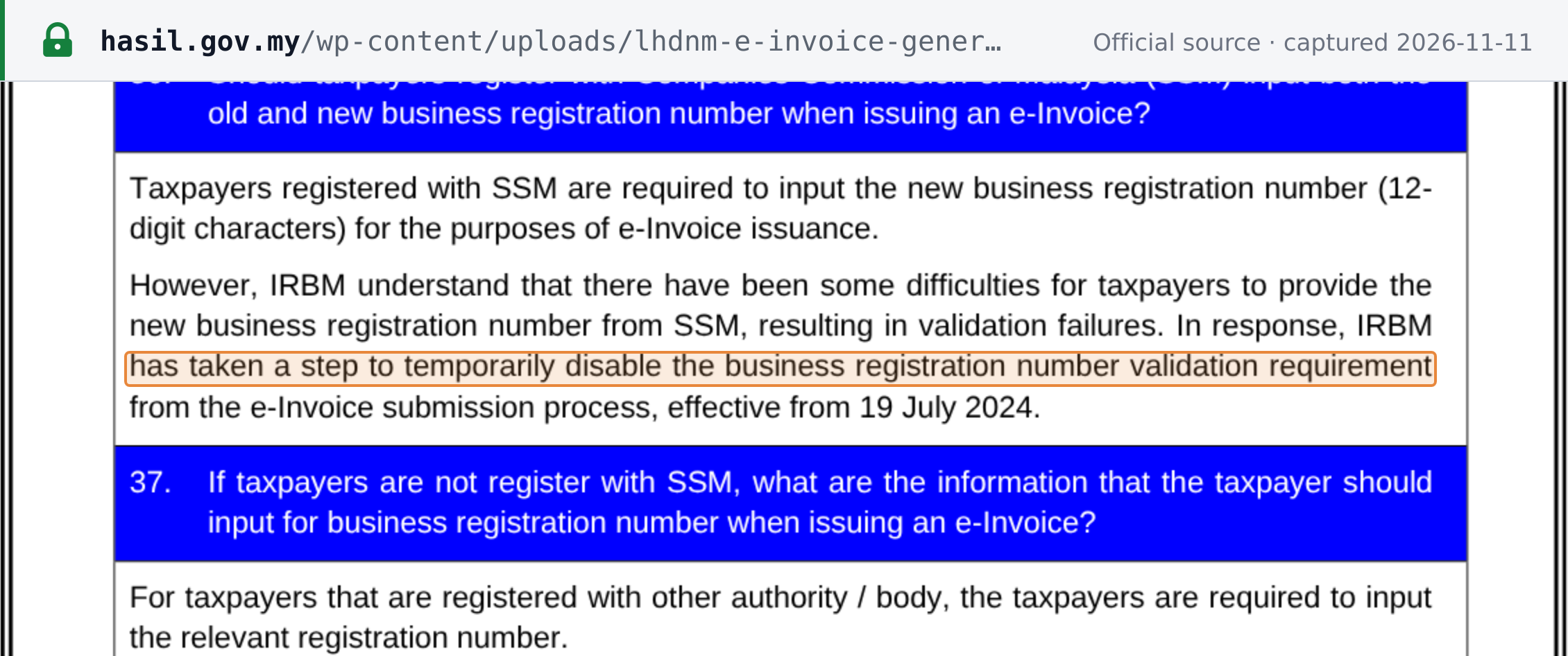
IRBM's e-Invoice FAQ (updated 4 September 2026) says taxpayers registered with SSM must input the new 12-digit business registration number on an e-Invoice. Because some taxpayers had difficulty providing it, which caused validation failures, IRBM temporarily disabled the business registration number validation requirement from the e-Invoice submission process from 19 July 2024. Taxpayers registered with another authority input that authority's registration number. Find your 12-digit number on SSM e-Search with your old number. Separately, the MyInvois "Validate Taxpayer's TIN" API checks a TIN together with an ID such as a BRN, and returns 404 if that TIN and ID combination cannot be found, so a wrong BRN can still cause a TIN check to fail in your ERP. [1][2]
 Source snapshot captured 2026-11-11 — original
SSM e-Search confirmed the number but shows no directors or charges — where do I find them?
Buy a company profile. SSM sells company and business information through four service-provider portals: SSM e-Info, MYDATA-SSM, SSM Search and SSM SAFEDATA. SSM describes a company profile as covering details such as the company name and number, incorporation date, company type, status, registered and business address, share capital, directors and officers, shareholders, charges (if any) and financial information. A company profile or a business profile costs RM10.00 (as at 2026-11-11), excluding the provider's service charge; SSM states that 8% service tax is imposed on the service charge. [1][2]
How Lookuptax can help you in Registration Number validation?
Lookuptax Registration Number validation helps businesses check registration numbers in many countries, so you can catch errors before you onboard a supplier.