How to verify GSTIN Number in India?
This post is also available in: 中文|Deutsch|Français
GSTIN check on GST website
GST number search option is available for free on the India GST website. You can access the GSTIN search here. This search requires you to clear a CAPTCHA for successful GSTIN validation.
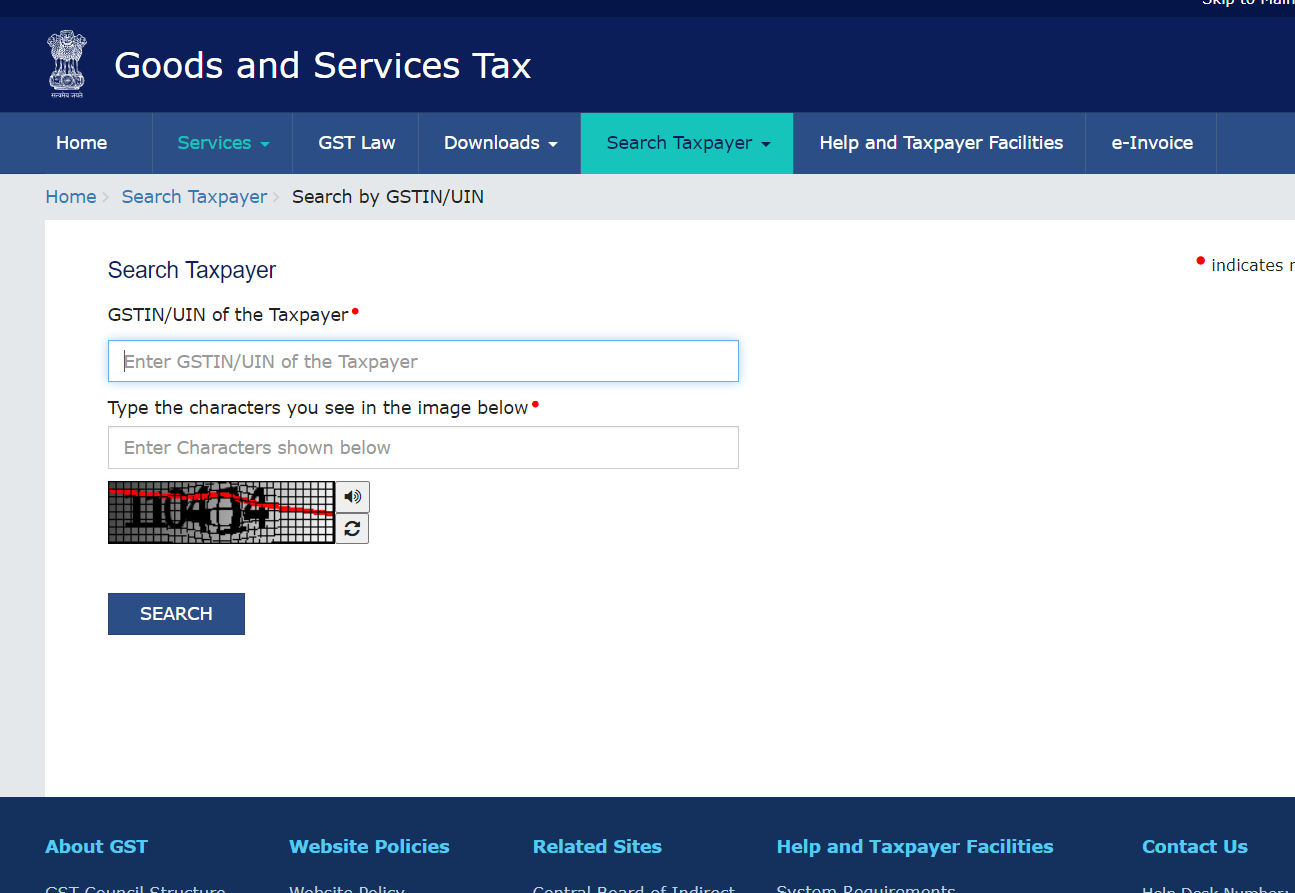 |
| GSTIN Verification |
A successful verification of the GSTIN on the GST lookup tool will return the following details
- Name of the business
- Trade Name
- Date of registration
- Type of the establishment
- GSTIN or UIN status
- Taxpayer type
- Administrative office address
- Other office address
- Principal place of business
- Aadhaar authentication status
- e-KYC status
- Other trade names if any
- Nature of core business activity
- List of Goods and services offered
- Tax filing history
- Tax returns frequency
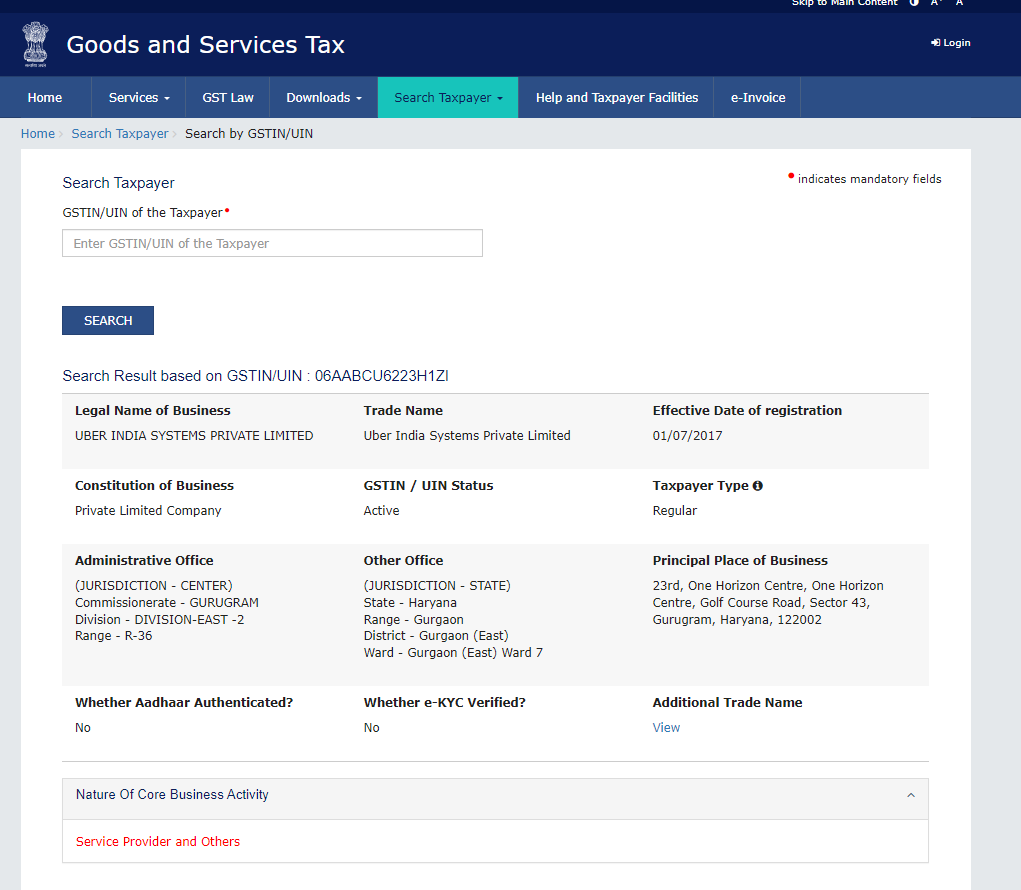 | 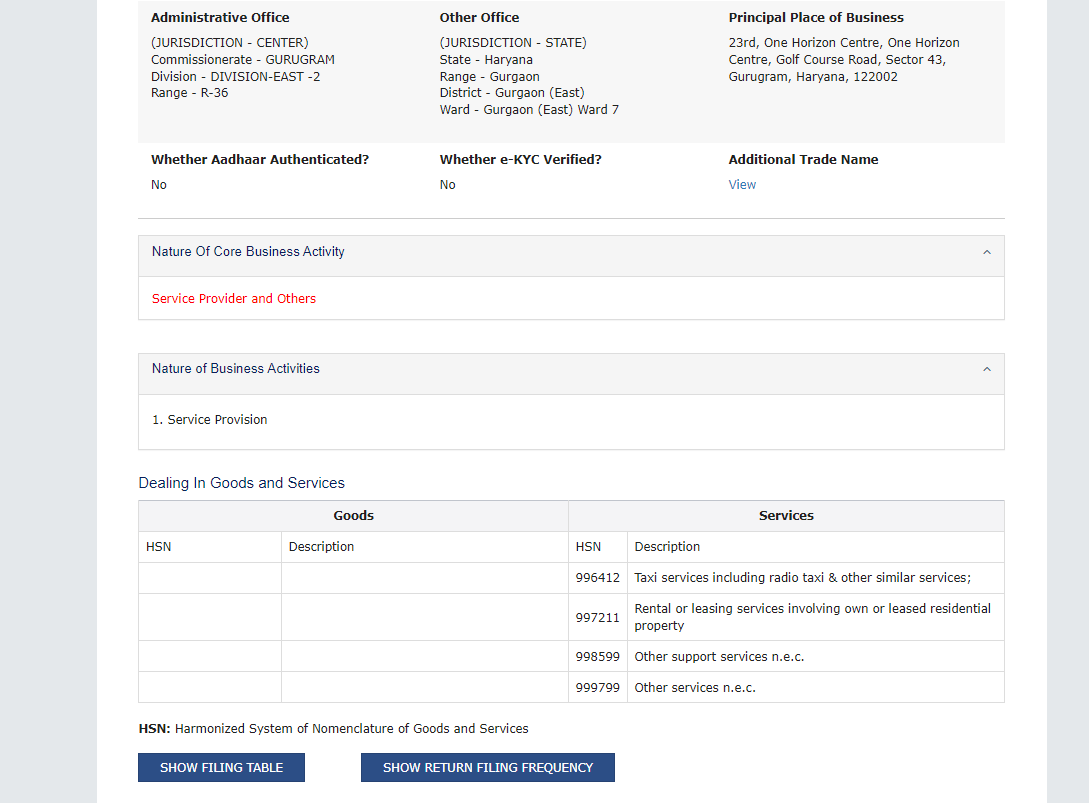 |
| GSTIN Verification Status | |
On the GST site, you can also search for a company by its PAN Number.
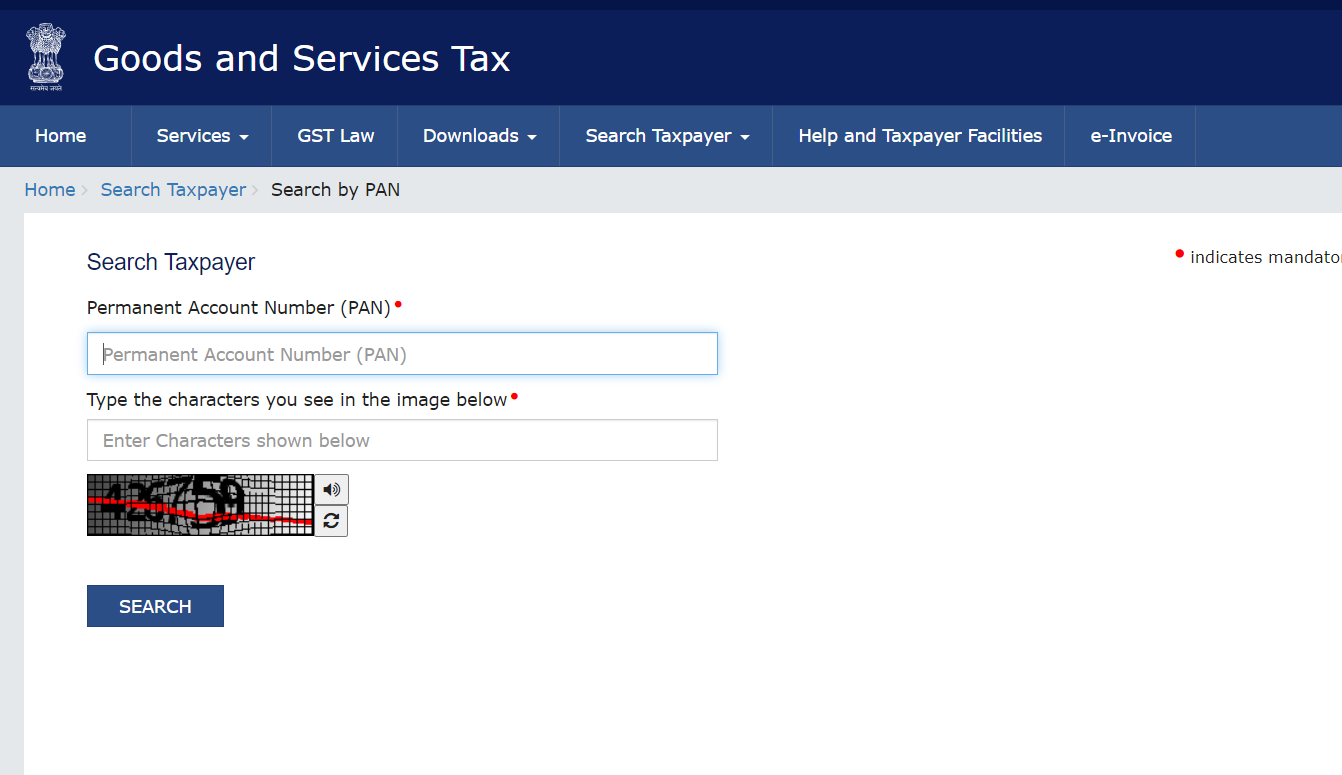 | 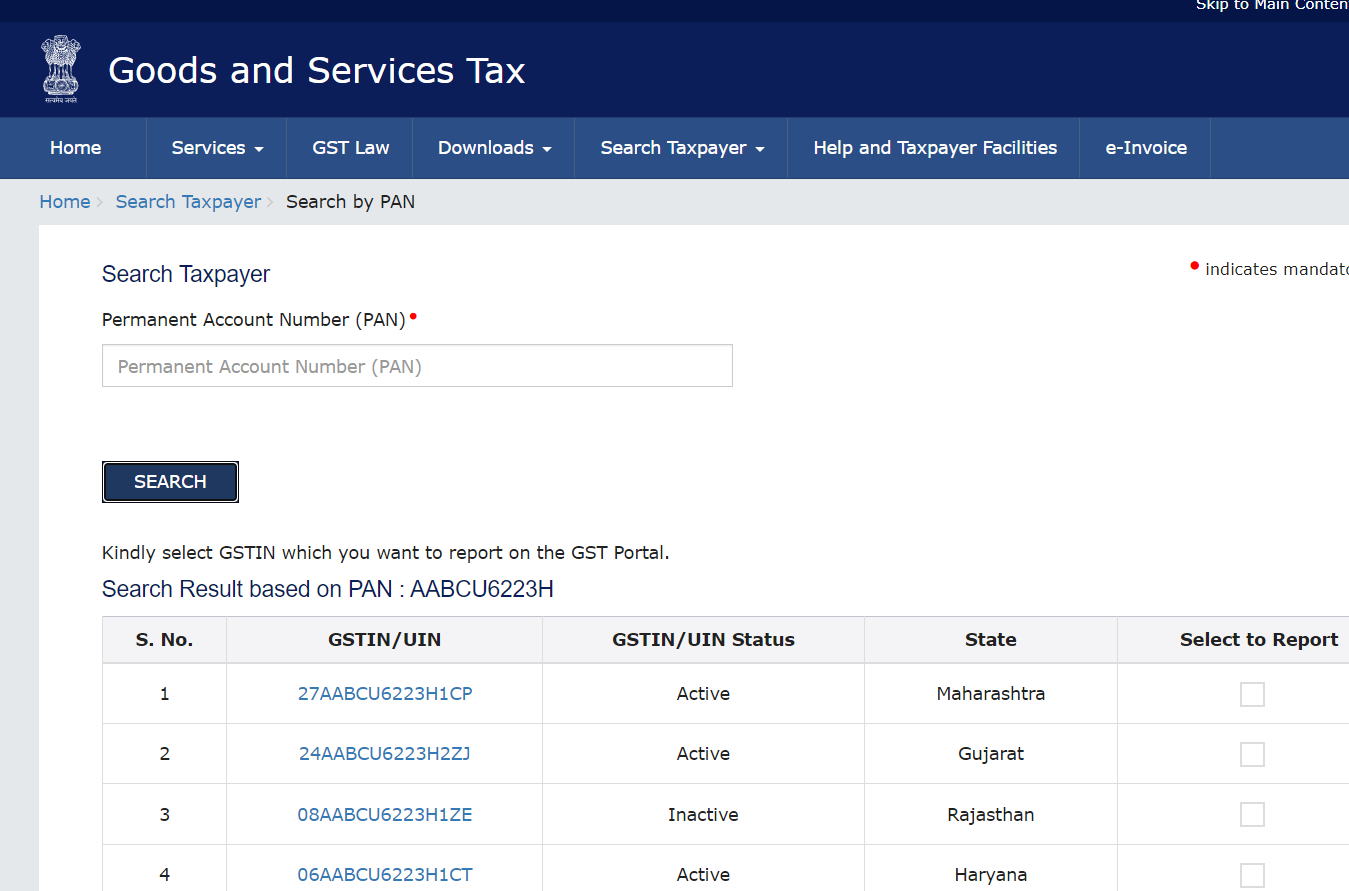 |
| Search by PAN | |
For more details on Indian tax identifiers including PAN, see our India Tax ID Guide.
Frequently Asked Questions
My supplier's GSTIN shows status "Cancelled" — can I still claim input tax credit on their old invoices?
No — or at least not without significant risk. Under the CGST Act 2017, ITC can only be claimed on invoices from registered suppliers who filed the relevant returns (GSTR-1). A cancelled GSTIN means the supplier is no longer authorized to charge GST. The GST department has issued notices to thousands of buyers who claimed ITC from suppliers with inactive or cancelled GSTINs. Always verify GSTIN status on the date of each transaction, not just at supplier onboarding. [1]
What does each component of a GSTIN encode, and how do I verify the check digit?
A 15-character GSTIN encodes: positions 1–2: state code (01=J&K, 07=Delhi, 27=Maharashtra, 29=Karnataka); positions 3–12: the registrant's 10-character PAN; position 13: entity number for multiple registrations under the same PAN in one state; position 14: always "Z"; position 15: check digit (computed via a modified Luhn algorithm over the first 14 characters using a 0–9, A–Z character set). This structure allows offline format validation: invalid state code, PAN-format failure, or check digit mismatch = definitively invalid without a portal query. [1]
A supplier's GSTIN is valid but their GSTR-3B filings show 3+ months of non-compliance — should I accept their invoice?
This is a red flag. Under CGST Rule 36(4) and the GSTR-2B matching mechanism, your ITC is linked to whether your supplier filed their GSTR-1 and whether the invoice appears in your GSTR-2B (auto-populated credit statement). A supplier who has not filed GSTR-3B for months is likely not remitting tax collected from you to the government. The GST portal's taxpayer search shows the tax filing history and return frequency — check this before accepting invoices. [1]
A supplier operates in multiple states — do they need a separate GSTIN for each state?
Yes. Under the GST framework, registration is state-specific. A business with operations in multiple states must obtain a separate GSTIN for each state where it has a place of business. The first 2 digits of the GSTIN identify the state. Invoices must be raised from the GSTIN of the state where the supply originates — cross-state billing from a wrong-state GSTIN is non-compliant and can result in GST demand, interest, and penalties. If a supplier has operations in 10 states, they will have 10 different GSTINs, all sharing the same PAN in positions 3–12. [1]
The GST portal CAPTCHA is frequently unreadable or slow — is there a programmatic API for GSTIN verification?
The official GST portal (services.gst.gov.in/services/searchtp) uses CAPTCHA and does not offer a public API for unauthenticated third-party access. The GSTN (GST Network) provides an official API for GST Suvidha Providers (GSPs) — technology intermediaries authorized by GSTN to access GST data on behalf of taxpayers. GSPs can look up GSTIN data programmatically without CAPTCHA. For systematic GSTIN verification in compliance workflows, integrating via a GSP or a certified API provider using the GSTN API is the recommended approach. [1]
I received an invoice with a valid GSTIN but the supplier name does not match the GST portal — what does this mean?
This is a serious red flag for potential GST fraud. When a GSTIN is valid but the legal name shown on the portal does not match the invoice, it usually indicates: (1) the supplier is presenting a GSTIN belonging to a different entity (fraudulent invoice); (2) the supplier recently changed their legal name — request updated business details; (3) the invoice shows a trade name rather than the registered legal name — verify whether the trade name is registered under the same GSTIN on the portal. Do not claim ITC on invoices where the GSTIN-to-name match fails without first resolving the discrepancy in writing with the supplier. [1]
How Lookuptax can help you in GSTIN validation?
Lookuptax GSTIN validation revolutionizes GSTIN number validation with its robust platform, empowering businesses to seamlessly verify GSTIN numbers across over 100 countries. Our cutting-edge technology ensures accurate and efficient validation, reducing errors and enhancing compliance.